Monitor Buying Guide for Beginners
Identifying Your Primary Use Case
Before diving into monitor specifications, it's crucial to determine your Primary Use Case. For instance, if you are a gamer, you will likely prioritize refresh rates, response times, and resolution. Screen tearing can adversely affect gameplay, making a high refresh rate monitor essential. On the other hand, if you are primarily a content creator or graphic designer, color accuracy and resolution should take precedence, as any discrepancies can impact your creative work significantly.
Your work environment can also influence your monitor choice. If you work in a well-lit area or near windows, an anti-glare screen may be beneficial, as it can reduce reflections. Conversely, for dimly lit environments, consider a monitor with adjustable brightness settings to limit eye strain. Therefore, aligning your monitor choice with your specific use case is not just smart; it can enhance your productivity and overall experience.
Future Considerations and Upgrades
While it's essential to focus on your immediate needs, considering future developments can save you time and money in the long run. Technology evolves rapidly, and a monitor that meets your requirements today might not be sufficient tomorrow. For example, a 4K monitor might appear unnecessary now if you aren't producing high-resolution content, but as more media becomes easily available, having that capability may prove advantageous.
In addition, features like multiple display inputs, customizable settings, and built-in speakers can offer flexibility if your needs evolve. Pay attention to upcoming technologies, such as OLED screens or advancements in refresh rates. Monitoring industry trends will help ensure that your investment remains relevant long after your initial purchase.
Screen Size and Resolution: Finding the Right Fit
Understanding Screen Size
When choosing a monitor, one of the first aspects to consider is the Screen Size. Monitors are available in various sizes, generally ranging from 21 inches to over 40 inches diagonally. A larger screen can enhance immersion for gamers and provide ample space for multitasking, such as programming or graphic design. However, it's essential to balance screen size with your desk space and viewing distance to avoid strain.
Experts often recommend a minimum distance equal to 1.5 to 2 times the diagonal size of the screen to ensure comfortable viewing. For example, if you opt for a 27-inch monitor, you should sit approximately 3.5 to 5.5 feet away. This distance can greatly influence comfort and eye health.
Resolution: A Key Factor
Resolution directly impacts the clarity of the images and text displayed on your monitor. Measured as the number of pixels, common resolutions include Full HD (1920x1080), Quad HD (2560x1440), and 4K (3840x2160). The higher the resolution, the more details you’ll see, making it crucial for professionals in fields like graphic design, video editing, and gaming.
For most casual users, Full HD provides enough quality for general activities such as browsing and streaming video. However, if you're engaging in higher-end gaming or professional work, consider upgrading to at least a Quad HD resolution for a significant improvement in visual sharpness.
Aspect Ratios Explained
Aspect ratio refers to the proportional relationship between a monitor's width and height. The standard aspect ratio for most monitors is 16:9, providing a solid format for movies and games. However, ultra-wide monitors, typically boasting an aspect ratio of 21:9, have grown popular among gamers and professionals alike, enhancing the immersive experience and allowing for improved multitasking.
Choosing the right aspect ratio is about practicality; for example, a 16:10 ratio can offer more vertical screen space, which is beneficial for tasks like coding or writing. Make your selection based on how you plan to use the screen, as this choice can significantly impact productivity.
Panel Types and Their Impact
The type of panel technology used in a monitor affects its performance, Color Accuracy, and viewing angles. The most common panel types are In-Plane Switching (IPS), Twisted Nematic (TN), and Vertical Alignment (VA). IPS panels provide superior color accuracy and wide viewing angles, making them ideal for creative professionals. On the other hand, TN panels typically offer faster response times, making them suitable for competitive gaming.
While VA panels provide a balance of good color reproduction and contrast, they may not match the performance of IPS or TN in specific settings. Understanding these differences in panel types can allow you to select a monitor that aligns with your primary uses. Ultimately, if you can, it's always best to test out different panels in-store to see which one meets your expectations.
Choosing the Right Size for Your Needs
Determining the right screen size for your needs involves evaluating how you plan to utilize the monitor. For basic tasks such as browsing and reading documents, a 24-inch display often suffices. Gamers might lean towards a larger format, often 27 inches or more, for a more immersive experience. Remember, a larger screen isn’t always better if you can’t view it comfortably from your typical distance.
It’s also worth noting that multiple smaller screens can be a viable alternative to one large monitor, especially for professionals who frequently work with multiple windows open. This setup allows for greater flexibility without sacrificing clarity or potential strain from oversized screens. For dedicated users, investing some time into determining your ideal setup can lead to greater productivity and enjoyment.
Display Technology: Choosing the Right Panel Type
Understanding Different Panel Technologies
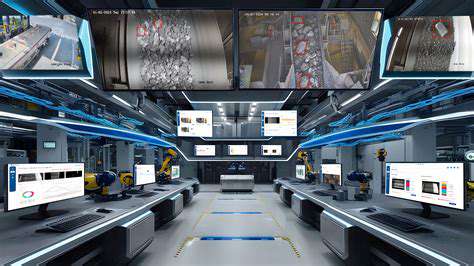
When it comes to monitor displays, the most common Panel Technologies include IPS (In-Plane Switching), TN (Twisted Nematic), and VA (Vertical Alignment). Each of these technologies has its unique strengths and weaknesses, which can affect your choice depending on your needs.
IPS panels are praised for their excellent color accuracy and wide viewing angles, making them a great choice for graphic design and multimedia content creation. On the other hand, TN panels are generally more affordable and boast faster response times, which is beneficial for competitive gaming.
- IPS: Best for color accuracy and wide viewing angles.
- TN: Offers faster response times and lower prices.
- VA: Strikes a balance between color richness and contrast.
For those who favor gaming, VA panels are often a good middle ground. They provide deeper blacks and better contrast ratios, enhancing the overall visual experience, especially in dark environments. Ultimately, your usage scenario should guide your choice.
Key Considerations for Panel Selection
Selecting the right monitor panel type goes beyond knowing the technologies; it involves understanding your specific requirements. For instance, if you're working in environments where color fidelity is paramount, opting for an IPS panel would be a wise decision due to its superior color reproduction.
Conversely, gamers looking for speed may prefer a TN panel, given its ultra-fast response times. The compromise here would be color accuracy, which may fall short compared to IPS but could be worth it in fast-paced situations.
Furthermore, consider the screen size and resolution. While larger screens can provide an immersive experience, they also require more desk space and can impact performance based on your graphics hardware. Always ensure your graphical capabilities match the capabilities of your chosen display.
Connections and Compatibility: Ensuring Your Monitor Fits

Understanding Monitor Ports and Types
- Familiarize yourself with common monitor connection types.
- Know the difference between HDMI, DisplayPort, and VGA.
- Verify compatibility with your graphics card.
When shopping for a monitor, it is crucial to understand the various connection types available. Common types include HDMI, DisplayPort, and VGA. Each of these ports serves different purposes and has unique advantages. HDMI is the most widely used for its versatility and audio-video transmission capabilities. DisplayPort, on the other hand, can support higher refresh rates and resolutions, making it an ideal choice for gamers and professionals.
Another important factor during your selection process is compatibility with your existing hardware. Be sure to check the output options on your graphics card. If you have an older graphics card that only supports VGA, a modern monitor with only HDMI or DisplayPort might not work without an adapter. This can lead to frustrating experiences if you're not prepared. Take the time to ensure that the ports on your chosen monitor align with the outputs on your computer or console.
Choosing the Right Size and Resolution
Getting the Right Size and Resolution is paramount for your computing experience. Monitor sizes typically range from 21 inches to 34 inches and beyond, and the choice largely depends on your use case. If you're using the monitor for simple tasks like browsing and emailing, a smaller model may suffice. However, for gaming or design work, consider a larger screen. Research indicates that larger monitors can enhance productivity by up to 50% as they allow more windows to be open side by side.
Resolution also plays a critical role in determining image clarity. Full HD (1920x1080) is a standard choice for most users, while 4K (3840x2160) offers crisper images for creative professionals. Additionally, if you plan to watch videos or play games, choose a resolution that matches your content to avoid scaling issues. For gamers, a higher refresh rate and adaptive sync technologies can elevate the gameplay experience significantly.
Read more about Monitor Buying Guide for Beginners

![Ultimate Guide to Using [Software] Keyboard Shortcuts](/static/images/25/2025-08/AdvancedEditingShortcuts.jpg)






Hot Recommendations
- Blockchain vs Traditional Databases
- Best DACs and Audio Accessories
- The Future of Wearable Technology
- Tech Gifts for Students
- How Long Do Tech Products Really Last
- How to Choose a Laptop for Programming and Development
- How Bluetooth Codecs Affect Audio Quality
- Best Headphones for Online Learning
- Best Budget Headphones With Premium Sound
- How AI Improves User Experience