How Laptop Specs Affect Real Performance

Understanding Processor Architecture
The architecture of a processor fundamentally affects its performance capabilities. Different architectures, such as ARM, x86, or RISC, imply various efficiencies and applications. Particularly in the context of laptops, x86 architectures dominate the market due to their compatibility and performance balance.
Moreover, the number of cores and threads within the processor also greatly influences multitasking. Modern processors often feature multiple cores to handle concurrent tasks, allowing better performance in demanding applications like video editing or gaming.
Clock Speed and Its Impact on Performance
The clock speed of a processor, measured in gigahertz (GHz), indicates how many cycles per second the processor can execute. A higher clock speed typically translates to faster processing, enhancing overall performance in both basic and intense tasks. However, it is essential to note that clock speed is just one element of performance; efficiency and architecture also play critical roles.
For instance, a dual-core processor operating at 3.5 GHz might outperform a quad-core processor at 2.5 GHz in single-threaded applications, proving that the relationship between these metrics is complex.
Thermal Design Power: Efficiency and Cooling Solutions
- Thermal Design Power (TDP) represents the maximum heat a processor will generate under maximum load.
- Processors with lower TDP can often operate in smaller devices without overheating.
- An efficient cooling solution complements lower TDP processors, ensuring sustained performance.
TDP is crucial for laptop designs as it determines the thermal management strategies employed by manufacturers. A laptop with a high-performance processor must be paired with effective cooling systems to avoid thermal throttling, which can degrade performance over time. Adopting proper thermal management can significantly extend the lifespan of a laptop.
Integrated Graphics vs. Dedicated Graphics
Many modern processors come with integrated graphics solutions that can handle everyday tasks and light gaming. However, for graphics-intensive applications, dedicated graphics cards are preferred. A laptop with an integrated GPU may suffice for general use, but if you plan on gaming or video editing, consider investing in a model with a dedicated graphics card.
This distinction is pivotal in determining a laptop's suitability for various tasks. For instance, a laptop with a powerful processor but weak graphical capabilities may struggle in visual-heavy applications.
Processor Generations and Their Advancements
Each processor generation brings enhanced performance, with improvements in speed, efficiency, and thermal management. For example, Intel and AMD release new generations frequently, featuring architectural changes that often yield significant performance gains. It is wise to evaluate not just the number of cores or clock speed but also the actual generation of the processor.
As technology evolves, newer processors may include additional features such as AI-driven enhancements or built-in security measures. Staying updated on these advancements allows consumers to make informed decisions when purchasing a laptop.
Future-Proofing Your Laptop Selection
When selecting a laptop, it is crucial to consider the longevity of the processor in terms of performance. Investing in a processor that can handle Future Software Requirements may lessen the need for frequent upgrades. This forward-thinking approach ensures you won’t be left behind as software demands increase over time.
In a rapidly evolving digital landscape, choosing a laptop with adequate processing power is essential for maintaining productivity. As technology progresses, higher processor specifications will likely become the norm, suggesting a need for a proactive purchase decision now.
Memory: RAM's Role in Speed and Performance

Understanding RAM Specifications
RAM (Random Access Memory) comes in various specifications, which can significantly affect your laptop's speed and overall performance. Key specifications include capacity, type, and speed. Typically, more RAM allows users to run multiple applications smoothly without experiencing slowdowns.
For instance, if you're using a laptop with 8GB of RAM for basic tasks like web browsing and document editing, it should suffice. However, for resource-intensive applications such as video editing software or high-end gaming, consider a minimum of 16GB or more. Many modern laptops also utilize DDR4 RAM, which offers better speed and energy efficiency than its predecessors.
The Impact of RAM Size on Performance
One of the most critical factors influencing a laptop's speed is the size of its RAM. Users often underestimate how much memory they actually need. This will depend on the type of tasks performed. For general office work, 8GB can be perfectly adequate. However, for heavier tasks like graphic design, having 32GB or even 64GB can make a profound difference.
- 8GB: Suitable for basic tasks and light multitasking.
- 16GB: Ideal for gaming and moderate content creation.
- 32GB+: Best for professional-grade applications like 3D modeling.
RAM Speed and Latency Explained
The speed of RAM, measured in MHz, can significantly affect the overall performance of a laptop. Faster RAM can contribute to quicker data access times, which is crucial during intensive tasks. For example, DDR4 RAM typically ranges from 2133 MHz to 4266 MHz, with higher speeds yielding better performance.
However, the improvement in speed might not always be noticeable in everyday tasks. For typical office applications, you might not feel a substantial difference between 2400 MHz and 3200 MHz RAM. But when executing high-performance functions such as gaming or running virtual machines, the speed can greatly enhance responsiveness.
The Role of Dual-Channel vs. Single-Channel RAM
The configuration of RAM in your laptop can also have significant implications for performance. Dual-channel RAM setups allow for increased bandwidth, promoting faster data transfer between the RAM and CPU. In contrast, a single-channel configuration can bottleneck performance, especially in memory-intensive applications.
Tests have demonstrated that dual-channel configurations can offer performance boosts of up to 20% in certain scenarios. This means that if you're aiming for an efficient setup, opting for two sticks of RAM instead of one could be a cost-effective solution that enhances performance markedly.
Upgrading RAM: When and Why?
Knowing when it's time to upgrade your RAM can save you from frustration. If you notice your laptop slowing down while multi-tasking or when using demanding applications, it may be time to consider an upgrade. Many users find that increasing their RAM from 8GB to 16GB can provide sufficient headroom for their needs.
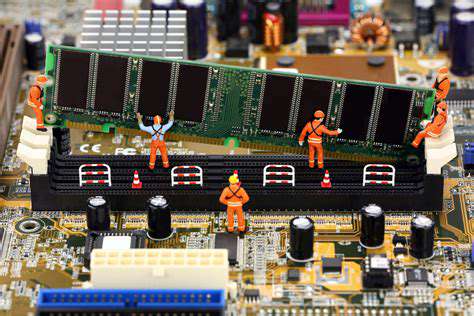
Furthermore, the upgrade process is more straightforward than many assume. Most laptops, especially those not designed as ultrabooks, allow for easy access to RAM slots, enabling users to enhance their machines without professional assistance. Just ensure you purchase compatible RAM modules to avoid compatibility issues.
Real-World Performance Tests and Findings
To better understand how RAM affects real-world performance, various studies have compared systems with differing memory configurations. One such study found that systems with 8GB, 16GB, and 32GB were subjected to identical workloads, and the results indicated perceptible differences in loading times and multitasking capabilities.
The findings suggest that for gamers or content creators, upgrades beyond 16GB may yield substantial performance boosts. Incidents also demonstrated that laptops with higher-capacity RAM managed multiple applications without lag, whereas those with lower capacities often struggled.
Storage: Impact on Load Times and Data Management
Understanding Storage Types and Their Performance Impacts
When it comes to laptop storage, there are primarily two types you’ll encounter: Solid State Drives (SSDs) and Hard Disk Drives (HDDs). SSDs use flash memory to store data and are known for their rapid read and write speeds, often outperforming HDDs by a significant margin. According to benchmarks, SSDs can deliver speeds exceeding 500 MB/s, whereas traditional HDDs might hover around 100-150 MB/s. This difference alone can lead to noticeable performance enhancements in applications and operating system boot times.
Furthermore, the choice between SSD and HDD doesn’t just influence how fast you can load programs, but it also impacts overall system responsiveness. A laptop equipped with an SSD will typically feel smoother and more fluid, particularly during file transfers and multitasking scenarios. For professionals working with large files, such as video editors or graphic designers, this could mean saving hours in production time.
In a world where speed is crucial, opting for an SSD can greatly enhance not only the performance of your device but also your overall productivity. However, due to cost, many users still consider HDDs; thus, it’s important to evaluate your storage needs carefully.
Load Times: What You Should Know
Load times can often make or break user experience, especially in tasks that require swift access to data. When evaluating how storage affects load times, it’s essential to consider aspects like file size, media type, and the laptop's RAM. For instance, a high-end game with a large amount of texture data will take much longer to load on an HDD compared to an SSD. Research from game development forums suggests that players using SSDs can expect load times reduced by up to 70% for certain titles.
Moreover, operating systems like Windows are designed to take advantage of SSD speeds through pre-fetching and other optimization techniques, further improving the time it takes to launch applications. In fact, testing conducted by tech analysts indicates that laptops with SSDs boot up Windows in under 10 seconds, while HDD counterparts can take around a minute or more, depending on fragmentation and other factors.
Data Management: Strategies for Optimization
Optimizing data storage goes beyond merely selecting the right type of drive; it also involves effective Data Management strategies. Regularly cleaning up your drives, such as uninstalling unnecessary applications and using disk cleanup tools, can significantly improve both speed and available storage. Storage capacity can play a significant role in performance as well, where less than 15% of free space can lead to a degradation in speed, especially for SSDs.
Utilizing cloud storage solutions in conjunction with local drives can also alleviate storage pressure. Cloud services often provide additional benefits, such as automatic backups and file synchronization across devices. This separation of data can keep your primary storage free for critical applications and speed-related essentials.
In addition, consider SSDs with larger capacities, as they both deliver speed and space, making them a versatile choice for data-heavy applications. Ultimately, understanding how to efficiently manage both local and cloud storage can lead to improved performance and a more responsive user experience overall.
Graphics Card: A Must for Visual Performance
Understanding Graphics Card Architecture
At the heart of every graphics card is its architecture, which dictates how efficiently it processes data. Modern architectures, such as NVIDIA's Ampere or AMD's RDNA, feature improvements that allow for better power management and higher performance. These developments enable GPUs to handle more complex graphics in real-time, essential for gaming and professional design applications alike.
Furthermore, the number of CUDA cores in NVIDIA cards or stream processors in AMD variants significantly impacts their ability to render images quickly. More cores mean greater parallel processing capabilities, which are crucial for both gaming and tasks requiring significant graphical computations such as 3D modeling.
Impact on Gaming Performance
The choice of graphics card not only affects frame rates but also visual quality and responsiveness. Gamers typically look for cards that can deliver smooth gameplay at higher resolutions, such as 1440p or 4K. According to benchmarks, a mid-range GPU like the NVIDIA GeForce RTX 3060 can achieve playability at high settings in most titles, delivering over 60 frames per second, which is vital for an immersive experience.
With advancements like ray tracing, modern GPUs can simulate realistic lighting and shadows, enhancing overall visual fidelity. Gamers investing in a strong GPU can also future-proof their system, ensuring that it can handle upcoming titles that push hardware limits.
Importance of VRAM
Video RAM (VRAM) serves as the dedicated memory for the graphics card, storing textures and frame data. The more VRAM a card has, the better it can manage high-resolution textures and more complex scenes without stuttering. For instance, 6GB of VRAM is often adequate for 1080p gaming but becomes a bottleneck at higher resolutions or when running applications with substantial graphical fidelity.
As video games become increasingly demanding, professionals and gamers alike should consider not just the GPU speed but also how much VRAM is available. Having inadequate VRAM can lead to performance dips that detract from the user experience, especially in open-world and visually rich environments.
Driving Professional Applications
Graphics cards are not merely for gaming; they play a significant role in professional fields such as graphics design, video editing, and 3D rendering. Software applications like Adobe Creative Cloud and Autodesk Maya leverage GPU capabilities to speed up rendering times and provide smoother workflows. For example, using a high-end GPU can reduce rendering times from hours to mere minutes in some scenarios.
Additionally, many professionals benefit from specific drivers optimized for their applications, which ensure stable performance. For those frequently using graphics-intensive software, investing in a powerful graphics card could lead to improved productivity and a noticeable decline in frustrating lag times.
The Future of Graphics Cards
The graphics card landscape is evolving rapidly, with trends pointing toward increased integration of AI technologies. Manufacturers are continually focusing on enhancing processing power through AI, with NVIDIA's DLSS (Deep Learning Super Sampling) being a prime example. This technology allows lower-resolution images to be upscaled to higher resolutions, significantly improving frame rates without sacrificing visual quality.
Moreover, as workloads increase across various sectors, including gaming, machine learning, and virtual reality, having a powerful GPU will become even more critical. For prospective buyers, anticipating these developments and choosing a GPU that accommodates future technologies will be essential in maintaining long-term performance.
Battery Life and Thermal Management: Essential for Longevity

Understanding Battery Chemistry
Modern laptops typically utilize lithium-ion batteries due to their high energy density and longer lifespan. These batteries are designed to provide better performance while being less susceptible to issues like memory effect, which can impede older battery types. Understanding the chemistry behind these batteries is crucial for maintenance and longevity.
Moreover, advancements in battery technology have led to the development of Fast-Charging Capabilities that help reduce downtime. This innovation allows users to quickly recharge their laptops, enhancing productivity in fast-paced environments.
Impact of Usage Patterns on Battery Life
- High-performance tasks deplete batteries faster.
- Battery management software can optimize usage.
- Screen brightness has a direct impact on battery life.
Your workload significantly influences Battery Longevity. For instance, running graphics-intensive applications or playing games will drain the battery more quickly than casual web browsing. Therefore, evaluating your usage patterns can help you maximize efficiency.
Tools and software are available that allow you to track battery health and performance. They enable users to manage settings, ensuring that their laptops can last longer on a single charge.
Thermal Management Strategies
Effective thermal management is key to maintaining laptop performance and battery life. High temperatures can lead to thermal throttling, where the processor reduces speed to avoid overheating. This not only impacts performance but can also shorten the lifespan of internal components.
Incorporating features such as heat spreaders and thermal pads in the laptop design can aid in effective heat dissipation. Users should also consider using laptops on hard surfaces to improve airflow, preventing heat buildup.
Importance of Power Settings
Windows and macOS come equipped with power management settings that help optimize battery use. For instance, selecting a power-saving mode can significantly extend battery life during low-demand tasks. These modes adjust processor speed and screen brightness, which can curtail unnecessary energy consumption.
Users should regularly review and adjust these settings based on their tasks. Customizing these options allows users to get the most out of their batteries, translating to improved performance and longevity.
Effective Cooling Solutions
Investing in effective cooling solutions, like laptop coolers or stands, is vital to prolonging device lifespan. Overheating can cause significant damage over time. Utilizing external cooling aids can help maintain optimal operating temperatures, thus preserving both battery life and overall machine integrity.
Additionally, regular maintenance, such as cleaning vents and replacing thermal paste, can ensure that cooling systems remain effective. Users should prioritize these tasks to ensure long-lasting performance.
Future Battery Technologies
As technology evolves, so do battery capabilities. Research into solid-state batteries offers promising improvements over current lithium-ion technologies, potentially allowing for quicker charging, increased energy density, and enhanced safety. This could revolutionize how laptops perform in terms of both battery life and thermal management.
Keeping abreast of these developments can help consumers make informed decisions about their technological investments. As newer battery technologies emerge, they may soon redefine user expectations for performance and longevity.
Read more about How Laptop Specs Affect Real Performance









Hot Recommendations
- The Future of Food Production Technology (Vertical Farming, etc.)
- Understanding APIs: How Software Talks to Each Other
- Top Mobile Security Apps for Android & iPhone
- Understanding Privacy Policies You Agree To
- How to Improve Your Online Privacy Today
- Protecting Your Home Network from Cyber Threats
- Guide to Setting Up a Multi Monitor Gaming Rig
- Mechanical Keyboards Explained: What Gamers Need to Know
- What is Encryption and Why is It Important?
- The Future of Construction Tech (3D Printing, Robotics, Drones)