Smartphone Storage Technologies Explained
Focusing on performance and speed, devices equipped with UFS (Universal Flash Storage) technology tend to outperform those using eMMC (embedded MultiMediaCard) technology. UFS offers faster read and write speeds, which significantly enhances the overall user experience, especially in heavy multitasking environments or when using data-intensive applications.
Another essential aspect is how these types of storage affect smartphone prices. Devices with higher internal storage capability tend to have elevated price points. Thus, users should assess their storage needs carefully before making a purchase, taking into account their usage patterns and future requirements.
Storage Capacity Considerations
When selecting a smartphone, consider the amount of storage that you will realistically need. As applications increase in size and high-quality multimedia files become standard, users should opt for at least 128GB of internal storage to prevent running out of space quickly. Research suggests that users often underestimate the amount of storage required over time, as apps tend to take up more space due to frequent updates.
Moreover, cloud storage services like Google Drive and Dropbox can alleviate physical storage needs, allowing for seamless file backups and access across devices. However, dependency on cloud services requires a reliable internet connection, which can be a drawback in areas with poor connectivity.
Impact of Storage on Performance
Performance is often linked directly to the storage technology used in smartphones. Flagship devices equipped with UFS 3.1 storage not only offer faster data transfer but also significantly enhance multitasking capabilities. This makes a noticeable difference in how quickly apps load and switch, contributing to an overall smoother user experience.
Conversely, devices with older storage technology may face lagging issues, especially when handling multiple applications or large files. With modern operating systems becoming increasingly demanding, ensuring your device has adequate and advanced storage technology will directly influence its longevity and efficiency in handling future updates and applications.
Future Trends in Smartphone Storage
As smartphones evolve, storage technology is likely to follow suit with advancements such as 3D NAND technology, which promises higher density and lower power consumption. This could lead to smartphones having significantly larger storage options without increasing dimensions, paving the way for more adventurously designed devices. For instance, brands like Apple and Samsung have already started integrating these technologies into their higher-end models.
Additionally, the future may see a more integrated approach to storage solutions, potentially combining built-in storage with robust cloud services, creating a seamless experience where user data can be accessed and synced in real-time without any hassle.
Lastly, as consumer reliance on photography and video content increases, smartphone storage solutions must adapt. Expect to see devices with capacities over 2TB, which could be essential for users who work professionally with high-resolution media files or those who merely wish to keep a large library of content within reach.
Types of Internal Storage: eMMC vs. UFS

Overview of eMMC Storage Technology
Embedded MultiMediaCard (eMMC) storage technology is widely recognized for its role in budget-friendly smartphones and tablets. This technology is essentially a flash storage solution that utilizes an integrated circuit as both the storage medium and the controller. As a result, manufacturers can create smaller devices with less complexity in terms of storage management.
In essence, eMMC provides decent read and write speeds suitable for everyday tasks such as browsing and video playback. However, it lacks the high-speed performance offered by more advanced storage technologies, limiting its appeal in high-end devices.
Understanding UFS Technology and Its Advantages
- Faster data transfer speeds compared to eMMC
- Advanced features like Command Queuing
- Better power efficiency, enhancing battery life
Universal Flash Storage (UFS) technology represents a significant leap forward in smartphone storage architecture. With performance speeds that can surpass eMMC by multiples, UFS has reshaped the expectations for mobile device storage. This technology employs a more sophisticated interface that allows for simultaneous read and write operations, markedly improving multitasking capabilities.
According to the latest industry benchmarks, UFS can achieve read speeds of up to 1.5 GB/s, making it immensely suitable for gaming, 4K video recording, and other data-intensive applications. It has rapidly gained adoption in flagship smartphones, often setting the standard for user experience.
As the mobile market trends toward high-resolution multimedia, adopting UFS over eMMC will likely become a common choice for manufacturers aiming to deliver superior performance.
Key Considerations When Choosing Between eMMC and UFS
When deciding between eMMC and UFS for your smartphone, consider your primary usage requirements. For users focused on basic functionalities like calling, texting, and casual browsing, eMMC might be sufficient. In contrast, for those engaged in resource-heavy tasks, such as gaming or video editing, UFS is the clear winner.
Furthermore, examine the devices themselves. It's not uncommon for mid-range devices to still feature eMMC storage. Still, it pays to research which technology underlies the specifications to ensure it aligns with your expectations.
Ultimately, understanding the differences between these internal storage types will help consumers make informed decisions based on their specific needs and usage patterns.
External Storage Solutions: MicroSD and Beyond

Understanding MicroSD Technology
MicroSD cards have become a popular choice for external storage due to their compact size and expansive capacity. These cards can hold anywhere from a few gigabytes to a staggering 1 terabyte (TB) of data, making them incredibly useful for smartphone users who require additional storage. Their versatility means they can not only be used in smartphones but also in cameras, tablets, and other devices that support MicroSD slots, which adds to their overall appeal.
Moreover, the performance of MicroSD cards varies significantly depending on their class and type. For instance, a UHS-I (Ultra High Speed) card can greatly improve file transfer speeds, especially when dealing with high-definition video or large files. Understanding these classifications, such as Class 10, U1, and U3, can help users select the right card for their needs.
As technology progresses, the MicroSD format continues to evolve, with innovations like A1 and A2 ratings for apps, which enhance load times and performance for mobile applications. This means users can expect a smoother experience when relying on external storage for both media and applications.
Comparing MicroSD with Other External Storage Solutions
- USB Flash Drives are portable but may lack smartphone compatibility.
- Cloud storage offers convenience but often requires a stable internet connection.
- External SSDs deliver high speed but can be more cumbersome to carry around.
- Network Attached Storage (NAS) provides extensive storage options for multiple devices but is generally more expensive and complex to set up.
While MicroSD cards are convenient, it's essential to consider alternatives based on specific needs. For instance, USB flash drives offer flexibility for users who need a format compatible across various devices, although they might not connect directly to smartphones without adapters. In a different vein, cloud storage has grown immensely, providing a safe haven for files that can be accessed from anywhere. However, it requires reliable internet connectivity, which can be a downside in areas with spotty service.
External SSDs, which are favored for their speed, are a robust alternative for those who frequently transfer large amounts of data, such as during video editing or data recovery processes. While they can pack a punch in performance, they tend to be bulkier compared to MicroSD cards. Evaluating these options ensures users choose the most fitting solution for their storage needs.
Best Practices for Using MicroSD Cards
To maximize the lifespan and reliability of MicroSD cards, users should follow specific best practices. For example, always eject the card safely before removal to prevent data corruption, and avoid exposing the card to extreme temperatures or moisture. Also, consider regularly backing up data to avoid unexpected loss.
A helpful tip is to designate a MicroSD card solely for media storage rather than mixing it with app data. This not only helps in better organization but also enhances performance, especially when high-speed read/write operations are needed.
Furthermore, opting for high-quality brands with good warranty policies can provide additional peace of mind. Brands like SanDisk, Samsung, and Lexar are known for their reliability and performance. Investing in a good quality MicroSD card can be the difference between frustration and seamless operation.
Maintain regular sleep patterns to reduce migraine frequency.
Cloud Storage: A Modern Alternative
Understanding Cloud Storage Models
Cloud storage can be categorized into various models, each tailored for specific needs. The three primary models are public, private, and hybrid storage. Public cloud storage is often utilized by individuals and small businesses for convenience and lower costs, while private cloud solutions provide enhanced security and control, appealing to larger organizations. Hybrid systems blend both, allowing companies to manage sensitive data privately while utilizing the public cloud for less critical information.
This differentiation is crucial when choosing cloud solutions since each model offers unique advantages and challenges. According to a report from Gartner, almost 70% of enterprises will rely on a hybrid cloud by 2025, emphasizing the growing trend towards combining both public and private infrastructures.
Benefits of Cloud Storage Solutions
One of the foremost advantages of adopting cloud storage is scalability. Users can expand their storage capacity quickly without investing in physical hardware. This elasticity allows businesses to adapt to changing storage requirements efficiently. Furthermore, cloud storage typically comes with a pay-as-you-go model that helps organizations maintain budgets by only paying for the space they actually utilize.
Another significant benefit is accessibility. Whether you're using a smartphone, tablet, or laptop, cloud storage enables users to retrieve their data from virtually any location. A study by McKinsey Global Institute reveals that adopting cloud solutions can improve collaboration and productivity among teams by approximately 20%. This indicates that cloud storage doesn’t just provide space; it enhances how teams work together.
Security and Compliance in Cloud Storage
As businesses migrate to cloud storage, security concerns amplify. Providers take extensive measures, including data encryption and multi-factor authentication, to safeguard user information. However, organizations must also evaluate compliance with regulations such as GDPR or HIPAA, depending on their industry. This ensures that sensitive data remains protected and adheres to legal requirements.
Accenture reports that over 40% of companies have faced Data Breaches through third-party service providers. Thus, organizations should conduct thorough research on their potential cloud provider's security protocols and ensure regular audits and compliance checks are in place to mitigate such risks.
Popular Cloud Storage Providers
Several reputable cloud storage providers dominate the market today, each offering distinct features and benefits. Google Drive is popular for its seamless integration with Google Workspace, making collaboration straightforward. On the other hand, Dropbox stands out with its user-friendly interface and robust file-sharing capabilities, which enhances project teamwork.
Other notable mentions include Amazon S3, renowned for its vast scalability and reliability, making it a go-to solution for developers and larger enterprises. Choosing the right provider should depend on specific requirements such as volume, accessibility, and budget, coupled with testing various services when possible.
Cost Considerations for Cloud Solutions
When evaluating cloud storage options, it's essential to consider both the initial and ongoing costs involved. Most cloud providers offer tiered pricing plans based on storage limits, which can impact long-term budgeting. While entering the cloud might appear cost-effective, unexpected costs for data retrieval, excess storage, or added features can quickly accumulate.
Furthermore, businesses should weigh the costs of potential downtime against the benefits of enhanced operational capabilities. A recent analysis by Forrester revealed that companies opting for cloud services can save up to 30% on their infrastructure costs. Understanding these financial aspects thoroughly can lead to more informed decision-making regarding cloud technologies.
Future Trends in Cloud Storage
The landscape of cloud storage is constantly evolving, with emerging trends indicating where the technology might lead. Artificial Intelligence (AI) and machine learning are becoming integral in optimizing storage management, improving data retrieval times, and analyzing usage patterns. This could lead to more personalized storage solutions over time.
Moreover, the rise of edge computing is propelling the shift towards decentralized storage solutions, where data processing happens closer to the source rather than relying solely on centralized clouds. This trend promises to enhance speed and reliability, positioning organizations to respond to market demands more efficiently.
The Future of Smartphone Storage Technologies
The Evolution of Storage Technologies
Smartphone storage technologies have evolved significantly over the past decade. Early smartphones typically featured limited storage capacities, often around 16GB or 32GB. As applications became more resource-intensive, manufacturers responded by increasing storage options. Today, many flagship devices come equipped with upwards of 1TB. This evolution has been driven by user demand for more apps, photos, and videos, reflecting the smartphones' role as essential everyday tools.
Research indicates that the storage demand will continue to surge. According to a report by IDC, global data creation is expected to reach 175 zettabytes by 2025, implying that mobile storage technology will need to adapt to support this exponential data growth. The role of storage in smartphones isn't merely about capacity; it's also about speed, accessibility, and reliability.
Types of Storage: Flash vs. SSD
Smartphones predominantly utilize flash storage, a type of non-volatile memory that retains data without power. Flash storage has been favored for its compact size and efficiency. In contrast, solid-state drives (SSD) are typically found in laptops and desktops but are beginning to emerge in newer smartphones as manufacturers refine their designs.
The key difference between these storage types lies in speed and durability. While both can provide fast data access, SSDs often perform better under heavy workloads due to their robust architecture. As smartphone producers explore high-capacity models, the adoption of SSD-like technology may become commonplace.
Moreover, flash storage has several subtypes, including NAND which is the most widely used. Advances in 3D NAND technology have enhanced performance by stacking memory cells vertically, effectively increasing storage density without enlarging physical size.
Storage Management and User Experience
Proficient storage management is crucial for enhancing the user experience on smartphones. Manufacturers are increasingly providing built-in tools to help users manage their storage efficiently. Features like file compression, cloud integration, and app data optimization are becoming standard in modern smartphones.
Understanding the distinction between internal and external storage is also vital for users. Internal storage is typically faster and secured, while external options like microSD cards offer flexibility but can suffer from speed variability. This makes choosing the correct storage solution a fundamental aspect of smartphone ownership.
Cloud Storage Integration
Cloud storage has emerged as a game-changer in mobile storage solutions, allowing users to seamlessly store and access data remotely. Services like Google Drive, iCloud, and OneDrive have become integral for managing smartphone storage. By offloading data to the cloud, users can free up device storage, which is particularly beneficial for those with limited internal capacity.
However, while cloud storage offers convenience, it relies heavily on internet access and can raise concerns about security and privacy. Users must weigh the benefits of off-device storage against potential risks and choose the right balance for their needs.
Emerging Technologies on the Horizon
The future of smartphone storage may involve integrating more advanced technologies, including holographic storage and even DNA data storage. Holographic storage has the potential to offer enormous capacity and speed, while DNA storage could revolutionize the way we think about data retention, capable of storing exabytes of data in a gram of DNA.
While these technologies are still evolving, their potential indicates a shift in data storage paradigms. Smartphone manufacturers are beginning to explore these innovations, but adoption will depend on cost-effectiveness and scalability.
Security Considerations
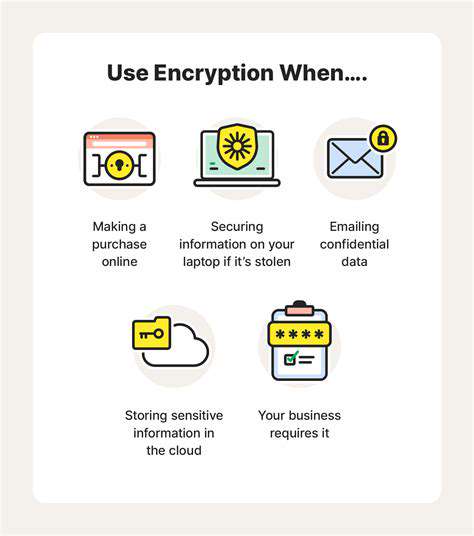
As storage capabilities grow, so do concerns about data security. Smartphones store an increasing amount of sensitive information, raising the stakes for developers to implement robust security measures. Encryption is a common approach, but users must also take proactive steps, such as using strong passwords and activating biometric security features.
Emerging technologies like blockchain may offer novel security solutions for data storage, providing tamper-proof verification methods. Ensuring data security should remain a top priority as we transition to more advanced storage systems in the coming years.
Conclusion: Looking Ahead
The future of smartphone storage technologies is poised for remarkable advancements that will cater to the ever-increasing demands of users. As manufacturers explore emerging technologies, enhance current offerings, and integrate cloud solutions, it is essential for users to stay informed about their storage options. Investing in suitable storage solutions will enable them to optimize their smartphone usage while remaining prepared for the innovations that lie ahead.
Read more about Smartphone Storage Technologies Explained



![Best Note Taking Apps for Students & Professionals [2025]](/static/images/25/2025-08/SecurityandPrivacyConsiderations3AProtectingYourData.jpg)