Performance
Battery Life
Ergonomics
User Reviews
Battery
Portability
Security
Data Protection

Business Laptops Buying Guide

Catalog

  • Choose Intel i5/i7 or AMD Ryzen for optimal business performance.

  • Display should ideally be 13-15 inches with Full HD resolution.

  • Look for laptops with 8-10 hours of battery life for travel.

  • Multiple USB and HDMI ports are essential for connectivity and expandability.

  • Ergonomic designs reduce discomfort during prolonged laptop usage.

  • High-grade materials enhance durability and performance of business laptops.

  • Weight should ideally be under 4 pounds for better portability.

  • User reviews help in making informed laptop purchasing decisions.

  • Biometric authentication increases security and efficiency for users.

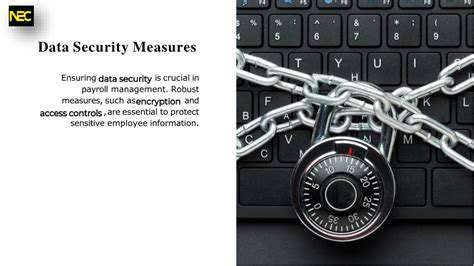
  • Full Disk Encryption keeps sensitive data secure even if lost.

  • TPM and Secure Boot enhance protection from unauthorized access.

  • Remote wipe features safeguard confidential data from theft.

  • Network security tools like VPNs protect data during transmission.

  • Regular software updates maintain security against vulnerabilities.

  • Physical security measures prevent theft in the workplace.

Key Specifications to Look For

Processor and Performance Capabilities

When buying a business laptop, the Processor is a fundamental component that determines overall performance. Typically, processors from Intel's Core i5 or i7 series are ideal for business tasks, thanks to their efficient processing power. Recently, AMD Ryzen processors have also gained recognition, offering excellent multitasking capabilities and graphics performance.

Benchmark tests, such as PassMark CPU scores, show that the latest processors significantly outperform older models. For instance, an Intel i7-12700H can achieve over 24,000 points compared to the older i7-7700HQ, which scores around 13,000. This improvement can enhance productivity, especially when running demanding applications or multitasking with various programs.

Display Quality and Size

Display quality is another vital aspect to consider when choosing a business laptop. A screen size between 13 and 15 inches is often optimal, balancing portability and usability. Furthermore, ensure a resolution of at least 1920x1080 (Full HD). Higher resolution screens, such as 4K, are available but may drain battery life more quickly, which isn't ideal for on-the-go usage.

Battery Life and Portability

For professionals who travel frequently, Battery life is a crucial specification. A laptop should ideally last at least 8-10 hours on a single charge to accommodate long meetings or flights without the need to recharge. Battery technology varies, with some laptops employing lithium-polymer batteries that are lighter and often have better longevity compared to traditional lithium-ion batteries.

Connectivity and Expandability Options

In an increasingly connected world, the availability of ports and connection options is essential. Look for laptops that offer multiple USB ports, including USB-C for fast data transfer. Additionally, an HDMI port allows for easy connection to external displays, which is vital during presentations. Networking capabilities, such as Wi-Fi 6, also ensure faster internet connections and better performance in shared spaces.

Ergonomics and Build Quality

Importance of Ergonomic Design

Ergonomic design is pivotal in ensuring comfort during extended use of a laptop, especially for business professionals who may spend hours working on their devices. A well-designed laptop allows users to maintain a neutral posture, reducing strain on the back, neck, and wrists. Studies show that over 60% of office workers report discomfort due to poor laptop ergonomics, indicating a significant need for thoughtful design.

Several manufacturers have begun to emphasize ergonomic features, such as adjustable hinges and keyboard layouts that promote a comfortable typing angle. When evaluating options, consider models that allow for raised screens or have the option to attach external peripherals. This not only enhances comfort but can lead to improved productivity and less fatigue throughout the workday.

Materials and Build Quality

The choice of materials in laptop construction directly affects durability and performance. Business laptops often utilize high-grade materials like aluminum or carbon fiber, offering a sleek aesthetic while ensuring robust performance. Research indicates that laptops built with these materials can withstand greater impacts and stresses, a critical factor for professionals who are on the move.

Additionally, laptops constructed with mil-spec standards also demonstrate resilience to environmental stressors such as temperature fluctuations and humidity. Therefore, it's advisable to seek laptops that have undergone rigorous testing to ensure they can perform reliably in diverse conditions.

Weight and Portability Considerations

For business professionals, the weight of a laptop is crucial, especially for those who travel frequently. Many modern business laptops offer a blend of powerful performance and lightweight portability, usually weighing around 2.5 to 4 pounds. This balance allows users to carry their devices without added strain, enabling them to be productive anywhere.

While lightweight laptops are appealing, consider battery life as well; a device that is light but requires constant recharging may not be practical for all-day meetings or travel. Popular models often achieve a good balance between weight and battery longevity, allowing for usage without frequent interruption while on the move.

Researching User Reviews and Comparisons

Before making a final decision, it's beneficial to delve into user reviews and expert comparisons of potential laptops. Websites dedicated to tech reviews, like Notebookcheck or Laptop Mag, routinely evaluate and rank business laptops based on ergonomics, build quality, and performance metrics. These reviews often analyze how well a laptop's ergonomic features translate into day-to-day usability.

Furthermore, communities like Reddit and tech forums can provide personalized anecdotes from users who have had hands-on experience. Gathering a range of opinions can provide invaluable insights into features that are particularly beneficial in real-world scenarios. This comprehensive research allows prospective buyers to make well-informed, confident purchasing decisions.

Battery Life and Portability

BatteryLifeandPortability

Understanding Battery Specifications

When selecting a business laptop, the battery life is a pivotal factor. Most models today offer a variety of battery configurations, typically ranging from 30 to 100 watt-hours. A battery rating of 50 watt-hours can provide around 7-10 hours of average use, which is crucial for professionals on the go. It's essential to pay attention to the specific needs of your work environment when considering battery life.

Modern laptops are often equipped with Intel's Evo platform, promising not just longer battery life but also faster charging capabilities. This means a laptop can offer more than 12 hours on a single charge while requiring less than an hour to reach a significant percentage of battery capacity. Be sure to compare the manufacturer’s claims with user reviews to gauge real-world performance, as advertised claims often vary from actual usage.

Portability Features to Consider

  • Weight and dimensions impact portability immensely.
  • Durability features such as spill resistance and military-grade testing are essential for frequent travelers.
  • Design factors like the screen size and hinge type also affect usability in various environments.

Portability is not just about weight; it's also about the overall design of a laptop. Ideally, you want a laptop under 4 pounds that can fit into a standard backpack without causing discomfort. Once you factor in your daily commuting patterns, this Weight consideration becomes even more significant, especially for those who travel between locations frequently. Keep in mind that a well-constructed laptop can withstand the rigors of travel.

Additionally, look for features such as touchscreen displays and 360-degree hinges, which can add to the versatility of the laptop. This usability extends beyond the office, providing options for presentations or collaborative work in various settings. Personalizing your choice based on frequent applications and environments can greatly enhance productivity.

Security Features for Business Laptops

SecurityFeaturesforBusinessLaptops

Biometric Authentication

One of the most significant advancements in laptop security is Biometric Authentication, such as fingerprint scanners and facial recognition systems. These technologies allow users to quickly access their devices without the need for traditional passwords. This is particularly useful in a business environment where time efficiency is crucial.

Biometric systems are generally much harder to spoof compared to standard passwords. For example, many modern laptops utilize infrared sensors for facial recognition, which ensure a higher level of accuracy and security. Companies looking to safeguard sensitive data should consider laptops equipped with these features.

Encryption Capabilities

  • Full Disk Encryption (FDE)
  • Advanced Encryption Standard (AES)
  • Data Loss Prevention (DLP)

Encryption is vital for protecting sensitive information, especially for businesses that deal with client data. Laptops that support Full Disk Encryption use algorithms like the Advanced Encryption Standard (AES), which is recognized as highly secure by cybersecurity experts. This means that even if a device is lost or stolen, the data remains protected and inaccessible without the correct credentials.

TPM and Secure Boot Technology

Trusted Platform Module (TPM) is a dedicated microcontroller designed to secure hardware by integrating cryptographic keys into devices. Many modern laptops feature this technology, which stores information about the device's hardware configuration. This ensures the integrity of the system and protects against unauthorized access.

Secure Boot technology further enhances security by allowing only trusted software to run during the startup process. Both TPM and Secure Boot work together to create a robust defense against threats like rootkits and bootkits, making them essential for businesses concerned about malicious attacks.

Remote Wipe and Lock Features

When a laptop is lost or stolen, having the ability to remotely wipe or lock the device can be a lifesaver, especially for businesses handling confidential client information. Many business-class laptops come equipped with software that facilitates these features, which can effectively prevent unauthorized access to sensitive data.

Remote wipe functionalities can restore peace of mind, allowing IT departments to maintain control over devices that are outside their physical reach. In a business context, implementing a strategy that includes these features is a wise move to safeguard important data.

Network Security Techniques

Protecting a laptop also involves securing the networks it connects to. Features like Virtual Private Networks (VPNs) and firewalls are essential tools for business laptops, as they provide layers of security for data transmission. Using a VPN can encrypt internet traffic, making it significantly more challenging for cybercriminals to intercept sensitive information.

Additionally, some laptops come with built-in firewall options that monitor incoming and outgoing traffic for suspicious behavior. Businesses should ensure that personnel are trained to use these technologies effectively to enhance overall security.

Regular Software Updates and Patching

Keeping software up to date is one of the simplest yet most important security measures for any business laptop. Regular software updates patch vulnerabilities that cybercriminals could exploit. Many manufacturers release automatic updates, but it's crucial for users to monitor that all security patches are applied promptly.

This practice becomes even more critical when dealing with specialized software that may contain sensitive business information. By ensuring that the devices are consistently updated, organizations can maintain a higher level of security and reduce the chances of a successful breach.

Physical Security Measures

In addition to digital security features, physical security shouldn't be overlooked. Utilizing laptop locks or secured storage areas can prevent theft in the workplace. Businesses should consider providing employees with carrying cases that are less conspicuous, which can reduce the risk of theft during commutes or travel.

Moreover, businesses can implement policies like restricted access to areas where sensitive information is displayed. This comprehensive approach ensures that both the hardware and the information contained within remain secure.

Read more about Business Laptops Buying Guide
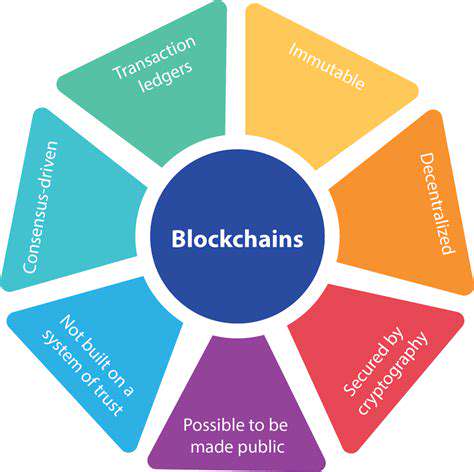
A Comprehensive GuideBlockchain technology is a groundbreaking decentralized ledger system that enables secure and transparent record-keeping across multiple computers. This innovative architecture ensures data immutability, allowing participants to trust the integrity of the information stored. In this article, we dive into the core components, applications, challenges, and future prospects of blockchain technology. What is Blockchain Technology?At its essence, blockchain technology consists of blocks of data linked through cryptographic hashes, forming an unbreakable chain. Nodes—computers within the network—participate in transaction verification via consensus mechanisms such as Proof of Work and Proof of Stake, ensuring integrity and security. Key Components:- Blocks: Contain transaction data, timestamps, and the preceding block's hash.- Nodes: Verify and maintain the blockchain.- Consensus Mechanisms: Ensure all nodes agree on transaction validity. Applications Beyond CryptocurrencyBlockchain's applications extend far beyond cryptocurrencies. Sectors like finance, supply chain management, and healthcare explore ways to leverage its features for enhanced efficiency. Blockchain enables faster cross-border transactions, improves accountability in product tracking, and securely manages patient records. Challenges Facing AdoptionDespite its transformative potential, blockchain technology faces obstacles, including:- Scalability: Many networks struggle to handle high transaction volumes, leading to slower speeds and increased costs.- Regulatory Uncertainty: Inconsistent regulations worldwide create hesitance among businesses to adopt blockchain solutions.- Cybersecurity: Vulnerabilities exist within blockchain applications, calling for robust security frameworks. The Future of BlockchainAs blockchain technology evolves, we anticipate enhanced integration with other technologies like AI and IoT. Industry standards will likely emerge to facilitate interoperability, expanding blockchain use across multiple sectors. Embracing education and transparency will be key for businesses looking to leverage this technology effectively. ConclusionIn conclusion, blockchain technology signifies a monumental shift in data management, security, and operational efficiency. Early adopters stand to benefit immensely by understanding both the advantages and challenges that come with implementing blockchain. By addressing current hurdles and promoting collaborative innovation, we can pave the way for a more efficient and transparent digital future.Explore the intricacies of blockchain technology and its enduring impact on various industries. Stay updated with current trends and innovations to unlock the full potential of this transformative technology.
Apr 23, 2025
Understanding SSDs vs HDDs for Gaming Load Times
Jul 08, 2025
Best Practices for Securing Mobile Apps (Development & Usage)
Jul 18, 2025
Guide to Building a SFF Gaming PC for Travel
Jul 18, 2025
The Importance of Two Factor Authentication
Jul 31, 2025
The Ultimate Creative Laptops for Video Editing ProfessionalsLooking for the best laptops tailored for video editing? Explore our detailed reviews of the top contenders in the market, designed specifically for creatives seeking high performance and reliability. 1. Apple MacBook Pro 16-inch (M1 Pro & M1 Max)The Apple MacBook Pro 16-inch offers unparalleled performance with M1 Pro and M1 Max chips, making it a powerhouse for creative professionals. Enjoy an exquisite 3456 x 2234 Retina display with vibrant color accuracy, making it essential for video grading. The impressive battery life of up to 21 hours supports your on-the-go lifestyle, significantly enhancing productivity. Coupled with seamless software integration in Apple's ecosystem, this laptop is an essential tool for video editors. 2. Dell XPS 15 (2023 Model)Introducing the Dell XPS 15, known for its stunning 15.6-inch 4K OLED display, which is perfect for video editing tasks. Powered by a 12th Gen Intel Core i7 or i9 processor, this laptop handles demanding software like Adobe Premiere Pro with ease. Its sleek design and portability, weighing just around 4 pounds, make it ideal for professionals on the move. Battery life extends to about 10 hours, ensuring you can work efficiently wherever inspiration strikes. 3. ASUS ROG Zephyrus G14The ASUS ROG Zephyrus G14 stands out with its AMD Ryzen 9 processors and NVIDIA GeForce RTX 3060 graphics, offering rapid processing speeds necessary for editing tasks. The lightweight design ensures it's an excellent choice for creatives who travel frequently. With a 14-inch QHD display delivering smooth visuals and high refresh rates, editors can navigate complex timelines effortlessly. Battery life lasts around 10 hours, significantly enhancing your workflow during prolonged editing sessions. 4. Microsoft Surface Laptop StudioMeet the Microsoft Surface Laptop Studio, designed for creatives with its powerful performance specifications and a versatile 14.4-inch PixelSense display. Users will appreciate the high pixel density, essential for video editing work. With up to 32GB of RAM and a powerful GPU, it ensures smooth operation across multiple applications. Plus, the user-friendly connectivity options, including Thunderbolt 4 support, make it a great fit for various peripherals. Impressive battery life up to 19 hours allows for efficient work while on the move. 5. Lenovo ThinkPad X1 Carbon Gen 10Renowned for its durability and sleek design, the Lenovo ThinkPad X1 Carbon Gen 10 features a carbon-fiber chassis and a stunning 14-inch display. Powered by Intel’s 12th Gen i7 processors, it provides exceptional performance for tasks like editing with Adobe Premiere Pro. With an impressive battery life of 15 to 20 hours and multiple connectivity options—including Thunderbolt 4—this laptop is perfect for video professionals. The audio quality, enhanced with Dolby Atmos technology, ensures a professional-grade experience whether for review or communication.--- Final ThoughtsWhether you're a professional videographer or a hobbyist, the laptops mentioned above offer the perfect blend of performance, portability, and advanced features essential for video editing. Choose wisely and elevate your creative workflow today!
Feb 06, 2026
Data Collection, Security, and User Empowerment in TechIn today's digital landscape, understanding data collection practices, security measures, and user empowerment is essential for both tech companies and users. With increasing regulatory demands, companies are prioritizing user consent mechanisms to ensure transparency in data practices. A recent study shows that 76% of users prefer clear information about data collection before giving consent, prompting many organizations to adopt opt-in strategies in compliance with regulations like the General Data Protection Regulation (GDPR).However, achieving full transparency remains a challenge. Complex privacy policies filled with legal jargon often deter users from understanding what they are consenting to. Surveys reveal that a staggering 85% of users skim these documents, underscoring the urgent need for companies to simplify communication and enhance user education about data usage.Data security measures are another significant concern. Techniques like data encryption and strict access controls are increasingly critical in guarding user information against unauthorized access. Strong encryption methods such as AES and RSA turn sensitive data into unreadable formats, enhancing trust and compliance with privacy laws. Additionally, implementing role-based access controls (RBAC) ensures employees only access the data pertinent to their roles, reducing the risk of internal breaches.Moreover, companies have an ethical obligation to prioritize data protection beyond just meeting compliance requirements. The role of user consent is pivotal; businesses must ensure that consent is informed and specific, detailing what data is collected and its intended use. With taxpayers advocating for transparency, many organizations are adopting simplified terms of service agreements to foster greater user understanding.User access and control are also vital aspects of modern data management. Companies must empower users by allowing them to manage their personal information easily. Implementing functionalities that let users download, modify, and delete their data cultivates loyalty and reinforces user agency. This shift towards user-centric data management not only meets regulatory demands but also aligns with growing consumer expectations for privacy and control.Emerging technologies, including Artificial Intelligence (AI) and blockchain, are paving the way for innovative data handling practices. AI enhances data processing capabilities, while blockchain technology offers decentralized data management that provides users with enhanced control and security. The rise of privacy-preserving technologies, such as differential privacy, further exemplifies the industry's shift towards ethical data management, ensuring that user insights can be derived without compromising individual privacy.As tech companies navigate the complexities of user data management, fostering a culture of transparency and accountability becomes essential. Organizations should prioritize regular updates and security training to defend against evolving threats, while also adapting to consumer concerns about data ethics.In summary, the future of data practices lies in striking a balance between compliance, security, and user empowerment. As technology evolves, companies must continually reassess their approaches to data management, ensuring they remain trustworthy custodians of user information while delivering superior experiences.
Feb 06, 2026
Best Laptops for Battery Life in 2023When looking for a reliable laptop, battery life is often a top priority. This guide reviews the best laptops of 2023, focusing on their design, performance, and impressive battery longevity. Whether you're a professional, student, or casual user, these models offer robust features and exceptional battery performance. 1. Dell XPS 13 (2023 Model)The Dell XPS 13 (2023 Model) showcases a sleek design with a durable aluminum chassis and a carbon-fiber palm rest. Known for its vibrant 4K display, it ensures color accuracy for graphic-intensive tasks. Users can expect up to 14 hours of battery life, backed by powerful Intel processors and efficient thermal management, enabling users to run demanding applications seamlessly. Connections are convenient with multiple Thunderbolt 4 ports, making this laptop an excellent choice for professionals on the go. 2. Apple MacBook Air M2With the Apple MacBook Air M2, you get a significant boost in performance thanks to the M2 chip. It’s equipped with up to 24GB of memory and 2TB of storage. The Retina display offers beautiful visuals perfect for creative tasks. With an outstanding 18 hours of battery life, this laptop ensures you won't need to scramble for a power outlet during your busy day. Users praise the seamless integration of hardware and software that enhances productivity, making it ideal for students and professionals alike. 3. Lenovo ThinkPad X1 Carbon Gen 10The Lenovo ThinkPad X1 Carbon Gen 10 is built for endurance with an average battery life of up to 15 hours. Thanks to its efficient OLED display and power management features, this laptop is suitable for heavy usage, making it perfect for professionals engaging in data analysis and video conferencing. Rapid Charge technology allows users to get approximately 80% charge in just under an hour, making it a standout for busy workdays. 4. HP Spectre x360 14The HP Spectre x360 14 features a sophisticated gem-cut design and weighs just 3 pounds, catering to portability. Its stunning 14-inch OLED touchscreen is designed for multimedia consumption with bold visuals. Users can enjoy up to 13 hours of battery life with fast charging capabilities. Connectivity options include multiple USB Type-C and Thunderbolt 4 ports, ensuring versatility for various devices. 5. ASUS ZenBook 13 OLEDWeighing only 2.5 pounds, the ASUS ZenBook 13 OLED is designed for mobility without sacrificing power. Equipped with up to 16GB of RAM and fast SSD storage, it handles multitasking and provides up to 15 hours of battery life on a single charge. Its array of ports, including USB-C and HDMI, enhance connectivity. The integrated fingerprint sensor and backlit keyboard further bolster security and usability. ConclusionChoosing the right laptop requires considering various factors, but battery life remains paramount. The laptops highlighted in this guide stand out in 2023 for their exceptional performance and longevity. From the Dell XPS 13's sleek design to the power-packed Apple MacBook Air M2, these options cater to diverse needs without compromising on battery efficiency.
Feb 07, 2026
- Display Resolution: Higher resolutions (like 4K) can enhance image clarity, essential for multitasking.- Screen Size and Ergonomics: Aim for at least a 27-inch size for optimal multitasking abilities, along with adjustable stands to improve posture.- Panel Technology: IPS panels offer superior color accuracy, ideal for designers, while TN panels favor fast refresh rates for gamers.- Connectivity Options: Ensure multiple input ports for different devices, with USB-C options for future compatibility.- Refresh Rate and Response Time: Higher refresh rates (120Hz and above) provide smoother visuals, beneficial for both work and play. Top Picks for 2023For creative professionals, monitors like the Dell UltraSharp U2720Q and BenQ PD3220U are top-rated for their color accuracy and connectivity options. Budget-friendly options like the AOC 24G2 and LG 27UK650-W offer excellent performance without breaking the bank. ConclusionA good monitor is not merely a tool; it is an investment in your productivity and well-being. By choosing the right display, you can create a work environment that fosters both efficiency and comfort, helping you achieve your professional goals. Make the right choice today and optimize your workflow for the future.
Feb 07, 2026
AI Advancements, 5G Expansion, and Sustainable Technology InnovationsDiscover the transformative trends shaping the technological landscape across various industries, including groundbreaking advancements in artificial intelligence (AI), the global rollout of 5G technology, and innovative sustainable practices. Artificial Intelligence and Machine LearningRecent breakthroughs in deep learning, especially in natural language processing (NLP) and computer vision, are revolutionizing AI applications. With models like OpenAI's GPT-3 and Google's BERT raising the bar for language comprehension, businesses can enhance customer interactions through chatbots and automate content creation. Moreover, integrating transfer learning is making AI technology accessible to smaller organizations, fostering innovation in healthcare, finance, and education. Practical AI ApplicationsFrom improving disease diagnosis in healthcare to revolutionizing risk assessment and fraud detection in finance, AI is becoming indispensable across sectors. Reports indicate that AI-driven solutions significantly improve diagnostic accuracy and lead to a remarkable reduction in fraud losses for companies adopting machine learning practices. The Rapid Expansion of 5G TechnologyThe global expansion of 5G technology promises to enhance mobile connectivity, providing rapid internet speeds and reduced latency. Countries leading the charge in 5G rollout are set to experience substantial increases in connected devices, fueling consumer adoption and transforming industries such as telecommunications and transportation. Looking Ahead to 6GAs conversation shifts toward the exploration of 6G technology, which could bring stunning advancements in data speeds and connectivity for innovations including virtual reality and smart cities, businesses are encouraged to invest in infrastructure that supports this transition. Hybrid Work Technology SolutionsWith hybrid work environments gaining traction as employees seek flexible schedules, organizations must adapt by leveraging technology tools for communication and collaboration. Platforms like Zoom and Microsoft Teams, along with collaborative software, are essential for maximizing team productivity and streamlining project management. Data Security in a Hybrid ModelAs hybrid work becomes commonplace, robust data security measures are critical. Organizations must implement VPNs, encryption technologies, and multi-factor authentication to protect sensitive information. Prioritizing Cybersecurity and Data PrivacyCybersecurity threats are increasingly sophisticated, and organizations must prioritize comprehensive cybersecurity strategies to safeguard data. Innovations like AI-driven threat detection systems and employee training programs play pivotal roles in reducing vulnerability to cyber attacks. Navigating Data Privacy RegulationsCompliance with data privacy regulations such as GDPR and CCPA is essential for organizations. Non-compliance can result in substantial financial penalties and damage to reputation. Sustainable Technology InnovationsEmerging green technologies like advancements in solar energy, smart grids, and electric vehicles are shaping a more sustainable future. The circular economy emphasizes resource reuse, while innovations in energy storage solutions are crucial for optimizing renewable energy use. The Role of AI in SustainabilityAI is instrumental in resource management, optimizing energy efficiency across sectors, and enabling informed decision-making for reducing carbon footprints.As the technological landscape evolves, staying informed about these advancements is vital for professionals looking to leverage AI’s potential, enhance hybrid work strategies, and contribute to a sustainable future. Embrace the ongoing innovation and position yourself at the forefront of tomorrow’s technology.
Feb 08, 2026
Enjoy ultra-smooth gaming experiences.- Adaptive Sync Technology: Reduces screen tearing for optimal images during dynamic gameplay.- Versatile Connectivity: Equipped with multiple ports like HDMI and DisplayPort for seamless setups.- Customization Options: Through MSI’s Gaming OSD software, easily tweak settings for different gaming styles. ConclusionWhether seeking high-performance routers or a stunning monitor, these devices are curated to enhance online gaming experiences and boost performance across various gaming setups. Invest in the right equipment today to ensure you have the edge in every challenge.
Feb 09, 2026
Understanding Key ComponentsWhen investing in a laptop, understanding its internal components is essential for optimizing performance. This guide explores the vital roles of processors, memory, storage, graphics cards, battery life, and thermal management in enhancing your computing experience. Processor: The Heart of Performance The processor architecture—be it ARM, x86, or RISC—greatly influences a laptop's performance. With x86 architectures dominating the market, particularly in laptops, knowing the number of cores and clock speed is crucial for multitasking and demanding applications like gaming and video editing. For example, while a dual-core CPU at 3.5 GHz might outperform a quad-core at 2.5 GHz in single-threaded tasks, the balance between clock speed, efficiency, and architecture must be carefully considered. Memory: RAM's Role in SpeedThe capacity, speed, and type of RAM significantly affect a laptop's overall performance. Devices with more RAM can handle multiple applications efficiently. For everyday tasks, 8GB is adequate; however, data-heavy functions may require 16GB or more. Dual-channel RAM configurations can improve performance through enhanced bandwidth, making it essential for those handling intensive applications. Storage: Impact on Load TimesStorage types, namely SSDs and HDDs, have a direct effect on load times and overall responsiveness. SSDs offer superior speed, fostering better performance in application launches and file transfers, while HDDs fall short. For a smooth experience, opting for an SSD is highly recommended, especially for professionals engaged in tasks requiring large files. Graphics Card: A Must for Visual PerformanceThe architecture of a graphics card, identified by its design and processing capabilities, is critical for gaming and professional applications. More CUDA cores or stream processors mean better performance. For gaming, a robust GPU can enhance frame rates and visual quality. Adequate VRAM is also necessary to handle high resolutions and complex scenes, ensuring an optimal user experience. Battery Life and Thermal ManagementModern lithium-ion batteries provide better performance but require effective management to maximize longevity. Usage patterns greatly influence battery life; high-demand tasks will decrease energy levels faster. Implementing thermal management strategies, such as efficient cooling systems, is crucial to prevent performance drops due to overheating.To optimize your laptop experience, understanding these components is essential. Keep abreast of advancements to make informed purchasing decisions that will keep your laptop running efficiently for years to come.
Feb 10, 2026
View Publication>>