Display Technology
Image Quality
Resolution
User Experience
Gaming Performance
Durability

Tablet Display Technologies Explained
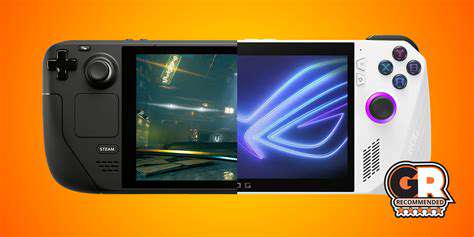
The Main Display TechnologiesLCDvs.OLED:TheMainDisplayTechnologies

Understanding LCD Technology

Liquid Crystal Display (LCD) technology has been a standard in the display industry for years due to its energy efficiency and cost-effectiveness. By utilizing a backlight, LCDs can produce bright and vivid colors, making them ideal for various applications including tablets and TVs. The technology works by manipulating light through liquid crystals, which can be influenced by electric fields, creating images on the screen.

Modern advancements in LCD Technology have introduced features like In-Plane Switching (IPS) that enhance viewing angles and color accuracy. This innovation allows LCD screens to reproduce colors with better fidelity and provides more consistent performance, crucial for tasks requiring detailed visual work.

Exploring OLED Displays

Organic Light Emitting Diode (OLED) displays represent a shift in how screens produce images, originating from organic compounds that emit light individually. This inherent capability eliminates the need for a separate backlight, resulting in deeper blacks and higher contrast ratios. With OLED technology, each pixel can turn on or off independently, allowing for stunning picture quality that appeals to both consumers and professionals alike.

  • OLED displays offer superior color accuracy and dynamic range.
  • They have faster refresh rates which can greatly enhance gaming experiences.
  • Enhanced viewing angles due to the nature of the technology.

Comparative Advantages and Use Cases

When comparing these two technologies, one must consider usage requirements. For instance, LCDs are generally more affordable, making them a popular choice for budget-conscious consumers. They are widely used in educational contexts and basic entertainment systems. In contrast, OLEDs are preferred for high-end applications, where superior visual quality is a priority, such as in creative industries involving graphic design and photography.

Ultimately, the choice between LCD and OLED should correlate with the intended use. If you value color performance and plan on engaging in activities where picture quality is paramount, an OLED display is worth the investment. Conversely, for everyday tasks and general use, LCD displays provide adequate performance without breaking the bank.

Screen Resolution and its Importance

Understanding Screen Resolution Defined

Screen resolution refers to the number of pixels displayed on a screen, typically expressed in width by height. Common resolutions for tablets range from 1280x800 pixels to the more advanced 2732x2048 pixels. This pixel density significantly affects the clarity and sharpness of images and text, determining how much detail can be comfortably viewed without straining the eyes. Higher resolutions provide more screen real estate, making it easier for users to work with multiple applications simultaneously.

In practical terms, a higher resolution on a tablet can provide a more immersive experience, especially for activities such as reading or gaming. For instance, the Apple iPad Pro with its Retina display has a resolution of 2048x2732 pixels, which offers exceptional clarity, ideal for graphic designers and multimedia producers. This level of detail allows for precise editing and enhances the overall User Experience.

It’s also important to consider how screen resolution affects battery life. Higher resolutions often require more power, potentially leading to reduced battery efficiency. Manufacturers must balance high resolution with energy consumption to deliver optimal performance without compromising usability. This trade-off is a key consideration in tablet design.

Impact of Screen Resolution on User Experience

User experience is significantly affected by screen resolution, impacting everything from readability to overall enjoyment when using a tablet. A display with higher resolution can improve text readability, making it easier for users to engage with content without straining their eyes. For example, students using tablets for online learning benefit from sharp text and vivid images, resulting in better focus and retention of information.

Moreover, for creative professionals, such as photographers and graphic designers, screen resolution can be a critical factor in the design and editing process. The level of detail provided by a high-resolution display allows for more accurate color representation and finer adjustments in digital artwork. Additionally, screens with a higher pixel density yield less visible pixelation, providing a smoother visual experience during detailed tasks.

Future Trends in Screen Resolution

As technology continues to evolve, we can anticipate even higher screen resolutions becoming standard across tablets. Research indicates that 4K (3840x2160) displays are becoming increasingly common, even in smaller devices. These advancements promise to deliver unparalleled detail, revolutionizing how users interact with digital content. Devices featuring such high resolutions will cater to niche markets and professionals demanding superior image quality.

Furthermore, technological innovations such as OLED and Mini-LED are likely to enhance color accuracy and contrast ratios, significantly impacting visual experiences. As manufacturers invest in these advancements, consumers can expect not only improved resolutions but also enhanced overall display capabilities, making tablets more versatile for various applications.

Refresh Rate: Smoothness in Motion

Understanding Refresh Rate

Refresh rate indicates how many times per second a display updates its image, measured in hertz (Hz). A Higher Refresh Rate allows for smoother motion, especially in fast-paced content such as video games and movies. For instance, a 60Hz display refreshes the image 60 times a second, while a 120Hz screen does so twice as often. This improvement is particularly noticeable in action sequences where clarity and fluidity are essential.

Research has shown that refresh rates of 120Hz and above can significantly enhance user experience, particularly in interactive applications. Many mobile gaming applications now prioritize higher refresh rates to provide competitive advantages, leading to a more immersive experience. As users demand more from their devices, the industry has responded by focusing on these specifications, setting a new standard for display performance.

The Impact of Refresh Rates on Content Consumption

When watching videos or playing games, a higher refresh rate often correlates with a more enjoyable experience. For example, movies shot at 24 frames per second (fps) are smoother on a 120Hz display, thanks to the technology's ability to interpolate frames. However, it’s crucial to note that not all content can take full advantage of high refresh rates; it depends on how the media is produced. For applications like video conferencing, a refresh rate of 30Hz can suffice, as the movement is less dynamic.

Moreover, developers are increasingly optimizing their content to cater to high-refresh-rate displays. Titles specifically designed for gaming often target 120fps to make the gameplay more fluid and responsive. This is a pivotal factor for enthusiastic gamers, as it can impact not only enjoyment but also performance in competitive settings.

Future Trends in Refresh Rate Technology

Looking ahead, the trend toward ultra-high refresh rates, such as 240Hz and beyond, is gaining traction in both consumer and professional markets. This evolution is spurred by advancements in display technology, enabling manufacturers to create panels that can support these rates without sacrificing image quality. Transfer rates are also improving, allowing devices to manage the increased data load seamlessly.

Additionally, with the rise of virtual and augmented reality, the demand for higher refresh rates has become critical to prevent motion sickness and provide a true sense of immersion. As these technologies develop, it's evident that the refresh rate will play a crucial role in shaping user experiences in gaming, entertainment, and beyond.

It’s wise for consumers to pay attention to refresh rates, especially when selecting tablets or screens for media consumption or gaming. A better understanding of these rates can guide informed purchasing decisions and enhance overall satisfaction with technology choices. Consider the application of your device before committing to a purchase, as the benefits can widely vary depending on individual needs.

Factors Influencing Display Durability

FactorsInfluencingDisplayDurability

Material Composition

One of the primary factors affecting display durability is the Material used in manufacturing. Glass, plastics, and composite materials can all impact the longevity of a screen. For instance, devices using Gorilla Glass are known for their strength and resistance to scratches, while regular plastic displays may not offer the same protection.

Additionally, the thickness of the material plays a significant role; thicker displays typically provide better durability against impacts. Manufacturers continuously innovate by developing new materials that balance durability with weight, ensuring that consumers receive robust devices that don’t compromise on usability.

Environmental Factors

  • Temperature fluctuations can lead to display damage.
  • Humidity levels affect the integrity of display components.
  • Exposure to UV light can degrade screen quality over time.

The environmental conditions a tablet experiences can dramatically influence its display life. For example, Extreme temperatures can cause materials to expand or contract, leading to cracks and other damage. Regular use in hot or humid conditions can accelerate wear. Research indicates that prolonged exposure to high humidity can lead correlations with display fogging and moisture buildup.

Another point to consider is UV exposure, which can weaken the components of a display over time. If you're using your tablet outdoors frequently, think about a screen protector designed to block UV light.

Usage Patterns

User habits significantly impact the longevity of tablet displays. Frequent drops or mishandling are common among users who transport their devices often. In fact, studies show that nearly 30% of tablet damage is due to accidents. The more actively a user engages with a device, especially in less careful environments, the higher the chance for damage.

Moreover, everyday tasks, such as pressing too hard on the screen during gaming or intensive applications, can affect screen lifespan. It's crucial for users to adopt careful handling techniques and consider investing in protective covers to mitigate these risks.

Technology Advancements

Technological advancements have led to improved durability in tablet displays. Manufacturers are incorporating flexible OLED technology, which not only enhances visual performance but also adds resilience to bending and accidental impacts. This evolving technology aids in the production of displays that can withstand greater stress without compromising on clarity or responsiveness.

Furthermore, new coatings that resist scratches and reduce glare are becoming standard in modern tablets, offering additional layers of protection. It is worth noting that keeping abreast of the latest models can be beneficial, as some newer devices implement features that directly heighten durability.

Read more about Tablet Display Technologies Explained

Best Apps for Learning to Code on the Go
May 16, 2025
How to Optimize Your PC for Gaming Performance
Jul 05, 2025
Elevate your precision gaming with the right mousepad. Discover the essential factors influencing your gameplay and how to choose the perfect mat for peak performance.Introduction: The Foundation of PrecisionA high-quality mousepad is more than just a piece of fabric; it's the foundation upon which precise and responsive gaming is built. In today's competitive gaming landscape, even the slightest edge can make the difference between victory and defeat. Choosing the right mousepad is crucial for achieving optimal control, responsiveness, and accuracy. This guide delves into the critical factors to consider when selecting a mousepad, ensuring you make an informed decision that directly impacts your gaming experience.Understanding the Impact on Mouse MovementYour mousepad significantly affects your mouse's movement. A smooth, responsive mousepad allows for precise and fluid movements, which are essential for fast reactions in games like FPS and MOBA titles. Conversely, a rough or uneven surface can lead to inconsistent tracking, causing frustration and impacting your gameplay.Key Features to Consider When Choosing a MousepadSeveral key features differentiate mousepads, influencing their suitability for different gaming styles and preferences.* Surface Material: The material directly affects mouse movement. Smooth surfaces like glass or high-quality PTFE-coated materials offer the best tracking, ideal for fast-paced games. Textured surfaces, while providing more grip, might hinder precise movements for some players.* Size and Shape: The size and shape of the mousepad should align with your playing style and the size of your gaming setup. A large mousepad allows for greater freedom of movement, while a smaller one can be more manageable for compact setups. Consider the space available on your desk and your preferred movement range.* Thickness: Thickness contributes to the cushioning and support provided to your wrist and hand. A thicker mousepad can provide extra comfort during extended gaming sessions, but might affect the responsiveness for some players.* Durability: A durable mousepad is essential for long-term use. Look for materials that can withstand regular use and maintain their quality over time.Beyond the Basics: Optimizing Your ExperienceChoosing the right mousepad is just one piece of the puzzle. Pairing it with a compatible mouse and adjusting your in-game settings can further enhance your gaming experience. Experiment with different mousepad surfaces and thicknesses to find what works best for your individual play style and preferences. This iterative process can result in achieving a level of control that significantly impacts your performance.Conclusion: Investing in PrecisionA quality mousepad is an investment in your gaming performance. It's a crucial component in achieving precise control, responsiveness, and accuracy. By considering the factors outlined in this guide, you can make an informed decision and select the perfect mousepad to elevate your gaming experience to the next level. Remember that personal preference plays a significant role; experimentation is key to finding the ideal surface for your needs.
Jul 07, 2025
Best Gaming PCs for 4K Gaming
Jul 09, 2025
the Amazon Echo Dot (5th Generation), Google Nest Audio, Apple HomePod Mini, Sonos One, and Bose Home Speaker 500. Each speaker offers unique features and capabilities, catering to diverse user preferences and needs. Amazon Echo Dot (5th Generation)The Echo Dot (5th Generation) boasts a modern and compact design that fits seamlessly into any room. With improved audio performance, it delivers clearer vocals and enriched bass perfect for music lovers. This smart speaker excels in smart home integration, acting as a hub for various connected devices and making it easy to control your home environment with voice commands. Enhanced Alexa capabilities allow for a wide array of inquiries and reminders, while privacy features provide users peace of mind. Google Nest AudioWith a minimalist design, the Google Nest Audio stands out in aesthetics and sound quality. It features a 75mm woofer for impactful bass and crisp sound, making it a strong competitor in the market. Google Assistant offers intuitive voice interaction, enhancing the smart home experience by integrating with a multitude of devices. Multi-room audio support adds to its usefulness, allowing users to enjoy songs throughout their homes. Apple HomePod MiniApple's HomePod Mini combines elegant design with exceptional sound quality. This compact speaker utilizes advanced computational audio technology, delivering a rich audio experience tailored to the surrounding environment. As a smart home hub with Siri integration, users can control various smart devices, set reminders, and manage music playback effortlessly. The HomePod Mini prioritizes both form and function, making it an appealing choice for Apple ecosystem users. Sonos OneThe Sonos One excels in its audio performance, featuring rich bass and clear highs that outperform many competitors. It integrates well with both Amazon Alexa and Google Assistant, providing versatile voice control options. Its seamless setup process and compatibility with multiple music streaming services make it user-friendly. Additionally, the option to create a multi-room audio system enhances the listening experience, allowing for synchronized playback across various spaces. Bose Home Speaker 500The Bose Home Speaker 500 impresses with a sleek aluminum design and intuitive controls. Known for its exceptional sound clarity and deep bass, it features adjustable EQ settings for a customized audio experience. This speaker supports multi-room audio capabilities, enabling seamless music streaming throughout your home. With a premium build and exceptional performance, the Bose Home Speaker 500 is designed for discerning audiophiles. ConclusionChoosing the right smart speaker depends on your individual preferences and needs. Each of these devices—Amazon Echo Dot, Google Nest Audio, Apple HomePod Mini, Sonos One, and Bose Home Speaker 500—offers unique features that cater to different user backgrounds, whether you prioritize music quality, smart home integration, or design aesthetics. Consider your specific requirements to find the perfect blend of functionality and style for your home.
Feb 07, 2026
Discovering the Key Features Defining Modern Smartphone CamerasIn the fast-evolving world of smartphone cameras, understanding the defining features is essential for both enthusiasts and casual users alike. From sensor quality and lens specifications to image processing advancements and innovative AI features, every component plays a crucial role in delivering outstanding photography experiences. Sensor Quality & SizeThe size and quality of the image sensor are pivotal in dictating a smartphone camera’s overall performance. Larger sensors capture more light, enhancing low-light performance and detail. Flagship models often utilize 1-inch sensors, significantly minimizing noise and maximizing dynamic range. Most smartphones today employ CMOS sensors, which ensure quick image processing and energy efficiency—essential for burst shooting. Lens Aperture & Focal LengthA smartphone's lens aperture, identified by its f-stop number, determines how much light hits the sensor. A wider aperture (like f/1.8) is ideal for achieving beautiful bokeh effects in portraits. Well-crafted optics are equally vital—enhancing clarity while minimizing distortion, ensuring that every shot is crisp and clear. Image Processing & Software IntegrationToday’s smartphones rely heavily on software for image enhancement. Features like High Dynamic Range (HDR) and advanced noise reduction algorithms contribute remarkably to image quality. The integration of AI-driven photography, such as Google's Night Sight, allows users to capture stunning low-light images by merging multiple exposures. Megapixels vs. Real-World PerformanceWhile high megapixel counts are often marketed, they don’t solely determine image quality. The quality of the sensor, the size of the pixels, and advanced lensing can elevate a low-megapixel camera’s performance beyond that of a higher pixel-count camera. This nuanced approach, focusing on real-world applications rather than theoretical specs, guides users in selecting the ideal device for their needs. Low-Light Performance EnhancementsSmartphones equipped with features like Night Mode shine in low-light scenarios. By capturing multiple frames and merging them, these innovations result in remarkably bright and clear images, debunking the myth that more megapixels are needed in dim settings. The technology is critical for urban and event photography after sunset. Trends in Smartphone PhotographyAs photography continues to dominate smartphone usage, manufacturers are aligning features with consumer preferences, emphasizing AI enhancements and user-friendly designs. The future looks bright, with predictions of increased integration of sophisticated sensor technology and multi-lens systems, offering users versatile photography options right at their fingertips. ConclusionIn conclusion, knowing what defines a smartphone camera can greatly influence your purchasing decisions and photography success. Significant advancements in sensor technology, computational photography, and software innovations ensure that capturing remarkable images is more accessible than ever. Whether you’re a casual shooter or a photography enthusiast, understanding these features will enhance your smartphone experience and creativity.
Feb 12, 2026
</p> <ul> <li><a href=drop-tests>Drop Tests</a></li> <li><a href=water-resistance-tests>Water Resistance Tests</a></li> <li><a href=temperature-and-humidity-tests>Temperature and Humidity Tests</a></li> <li><a href=scratch-resistance-tests>Scratch Resistance Tests</a></li> </ul> <h2>Why Durability Testing Matters</h2> <p>Research indicates that about 30% of consumers experience device failures due to inadequate durability. By investing in robust testing protocols, manufacturers can enhance customer trust and reduce risks associated with product recalls. Well-conducted tests identify weak points in product designs, allowing brands to improve materials and structures before devices hit the market.</p> <h2>Adapting to Consumer Expectations</h2> <p>As consumer demand for reliable smartphones grows, manufacturers are shifting their focus towards rugged devices. Updates in testing methodologies now incorporate advanced simulations, like finite element analysis (FEA), providing deeper insights into material performance under stress. This allows for the development of products that align with active lifestyles and high durability expectations.</p> <h2>Types of Durability Tests</h2> <h3 id=drop-tests>Drop Tests</h3> <p>Drop tests simulate accidental falls, assessing structural integrity by dropping devices from various heights onto concrete surfaces. Manufacturers analyze the outcomes to understand potential weak spots and improve future designs.</p> <h3 id=water-resistance-tests>Water Resistance Tests</h3> <p>Using the Ingress Protection (IP) rating system, manufacturers gauge how well devices resist moisture. For example, an IP67 rating indicates protection against immersion in water for up to 30 minutes, ensuring reliability for outdoor usage.</p> <h3 id=scratch-resistance-tests>Scratch Resistance Tests</h3> <p>These tests utilize the Mohs scale of mineral hardness to analyze how well screen materials like Gorilla Glass withstand everyday wear.</p> <h3 id=temperature-and-humidity-tests>Temperature and Humidity Tests</h3> <p>Devices undergo testing in extreme temperatures to ensure performance under varying environmental conditions, crucial for long-term usability.</p> <h2>The Future of Durability Testing</h2> <p>As technology evolves, so must the methodologies for assessing durability. Future advancements may include more comprehensive tests that factor in realistic usage scenarios and possibly leverage augmented reality for enhanced simulations. These improvements will ensure that consumers can make informed decisions about their smartphones, choosing devices that not only meet aesthetic and functional demands but also excel in durability and reliability.</p> <p>Investing in durable smartphones is becoming increasingly crucial as brands prioritize sustainability and user experience. By understanding durability testing, consumers can select devices that meet their needs and expectations effectively.</p>
Feb 13, 2026
Performance and VersatilityThe Qualcomm Snapdragon series stands out for its impressive performance, architectural efficiency, and versatility. With advanced architecture, Snapdragon chipsets balance powerful CPU cores and energy consumption, making them ideal for mobile devices. For instance, the Snapdragon 8 Gen 1 employs cutting-edge 4nm process technology to maximize performance while minimizing heat output, crucial for longevity and user comfort. AI Integration and ConnectivitySnapdragon processors excel in integrating artificial intelligence (AI) capabilities, enabling tasks such as real-time language translation and enhanced photography. The built-in AI engine in the Snapdragon 8 Gen 1 can perform over 26 trillion operations per second, optimizing user experiences.Connectivity is another key strength, as demonstrated by the Qualcomm X65 modem supporting superior 5G performance, with download speeds exceeding 10 Gbps. This makes Snapdragon suitable for smartphones and other devices, including laptops and IoT applications. Additionally, Snapdragon's commitment to mobile gaming is evident, with features like Adreno GPUs that provide high refresh rates and seamless graphics, competing closely with traditional gaming consoles. Apple A-Series: Seamless Integration with iOSKnown for exceptional performance and energy efficiency, the Apple A-Series chips, such as the A15 Bionic, lead the pack in benchmarks. With a six-core design and continuous enhancements, these chips handle demanding applications effortlessly while ensuring impressive power management.The seamless integration with iOS optimizes multitasking and performance. Users experience lower latency, quicker application switching, and robust features like Face ID and augmented reality. This synergy enhances overall device longevity, positioning the A-Series as a leading choice for iPhones and iPads. MediaTek Dimensity: Cost-Effective InnovationMediaTek’s Dimensity series is revolutionizing smartphone technology by providing high-performance chipsets at competitive prices. Integrated 5G capabilities allow mid-range and budget smartphones to benefit from fast connections, crucial as 5G networks expand. The Dimensity chipsets also emphasize AI processing, enriching photography and optimizing battery life, making it a strong contender against Qualcomm and others. Performance Comparison and Future ProspectsWhile competing with Snapdragon, Dimensity chipsets offer comparable performance, especially in multitasking and gaming. The cost efficiency of these chips makes them appealing in emerging markets, capturing significant consumer interest. Looking forward, MediaTek is focusing on further innovations to solidify its position in a rapidly evolving industry. Samsung Exynos: The Dual-Edged SwordSamsung's Exynos chipsets are known for their strong CPU performance, particularly in everyday usage scenarios. Models like the Exynos 2100 showcase impressive single-core performance, although challenges remain concerning thermal management and gaming performance compared to rival chipsets.Future developments aim to integrate AI and 5G advancements, potentially enhancing Exynos's competitiveness. User feedback reveals mixed experiences, particularly in multitasking, but highlights strong camera performance, stemming from Samsung’s software innovations. Kirin: Huawei’s Innovation Amidst ChallengesHuawei's Kirin chipsets, particularly the Kirin 9000, focus on cutting-edge technology for improved battery life and performance. Despite facing market challenges, Kirin's commitment to AI capabilities and efficient resource management continues to resonate with consumers.Looking ahead, Huawei's strategy aims to secure critical components and expand applications beyond smartphones, leveraging its technology in the IoT space. ---Explore the latest innovations in mobile chip technology, including the performance features of Qualcomm Snapdragon, Apple A-Series, MediaTek Dimensity, Samsung Exynos, and Huawei Kirin. Each has its unique strengths and market position, shaping the future of mobile devices.
Feb 13, 2026
Tailoring User ExperiencesIn the digital age, creating personalized experiences is vital for engaging users and maximizing satisfaction. Companies can significantly enhance user interactions by studying user behavior, leveraging AI technology, and implementing feedback loops that adapt to individual needs. This approach fosters deeper connections and a more rewarding online experience. Understanding User Preferences for Tailored ContentTo develop effective personalized experiences, it is essential to analyze user behavior, including browsing history, previous purchases, and demographic information. For instance, platforms like Netflix utilize advanced algorithms to recommend shows based on users' past viewing habits, resulting in an 80% increase in user engagement. Such personalization not only helps retain customers but also makes the content feel more relevant and enjoyable. Dynamic Customization Using AI TechnologyAI facilitates real-time content customization, adapting displays and offers based on user interactions. E-commerce platforms, for example, can modify product suggestions dynamically, enhancing the shopping journey. Establishing a real-time feedback loop ensures that businesses can engage users effectively while consistently meeting their evolving needs. The Importance of Feedback in PersonalizationUser feedback is crucial for refining personalized offerings. By encouraging users to share their opinions through surveys or direct communication, businesses can gain valuable insights into customer preferences. Consistently incorporating this feedback into service iterations fosters loyalty while aligning offerings with user expectations. Streamlined Navigation and AccessibilityNavigating a website or application shouldn't be a challenge. AI tools that personalize user onboarding improve the understanding and usability of platforms, thus enhancing retention rates. According to research, 76% of users appreciate tailored onboarding experiences that introduce features gradually and adapt to individual learning curves.Further, AI plays a pivotal role in improving accessibility for users with disabilities. Speech recognition and text-to-speech technologies can significantly enhance user engagement, allowing everyone to interact meaningfully with digital content. Harnessing Predictive Analytics for Decision-MakingPredictive analytics is transforming how businesses make decisions by leveraging historical data to forecast future trends. Retailers, for example, can anticipate stock shortages and tailor purchasing strategies based on predictive models. This data-driven approach is not only efficient but also significantly enhances overall operational effectiveness. Continuous Learning and ImprovementAI's role in continuous learning is crucial. By employing machine learning algorithms, organizations can tailor educational frameworks to user needs, creating individualized learning experiences. Integrating technology such as virtual and augmented reality enhances this aspect even further, providing immersive educational environments. Enhanced Security and TrustworthinessIn today’s digital landscape, security is paramount. Advanced encryption techniques, such as end-to-end encryption and multi-factor authentication, provide robust security solutions that greatly reduce risks associated with data breaches. Ensuring user transparency in data practices also builds trust, fostering stronger relationships with customers.AI-driven threat detection systems enable organizations to monitor for unusual patterns, enhancing cybersecurity measures and response times to potential risks.In conclusion, by investing in personalized experiences, organizations can not only meet user expectations but also build deeper trust and loyalty. Leveraging AI, predictive analytics, and user feedback creates a more intuitive and engaging online experience that drives satisfaction and success.
Feb 14, 2026
Find Your Perfect DeviceChoosing the right tablet for note-taking can significantly impact productivity and learning experiences. In this comprehensive guide, we explore some of the best tablets available today for note-takers, ranging from premium devices like the Apple iPad Pro to budget-friendly options such as the Lenovo Tab P11 Pro. Each tablet features unique characteristics to meet various needs and preferences. 1. Apple iPad Pro: The Best Overall for Note-TakingThe Apple iPad Pro stands out with its elegant design, robust build quality, and high-resolution Liquid Retina display, making it a top choice for professionals and students alike. Featuring the powerful M1 chip and up to 16GB of RAM, it offers exceptional performance for multitasking and demanding applications. The Apple Pencil enhances the note-taking experience with precision and fluidity, while the Smart Keyboard Folio provides a comfortable typing experience. With iPadOS supporting multitasking features like Split View and Slide Over, the iPad Pro is equipped for seamless productivity. 2. Microsoft Surface Pro 9: The Power of WindowsThe Microsoft Surface Pro 9 is designed for those seeking a powerful Windows experience. Its sleek, portable design and high-resolution PixelSense touchscreen cater to professional and casual use. With Intel's latest 12th Gen processors and up to 32GB RAM, it ensures optimal performance for multitasking. Running Windows 11, the Surface Pro 9 provides a user-friendly interface, supporting apps like Microsoft Office for efficient note-taking. Coupled with an impressive battery life of up to 15 hours, it’s ideal for busy professionals on the go. 3. Samsung Galaxy Tab S8 Ultra: The Android AlternativeIf you're looking for a versatile Android tablet, the Samsung Galaxy Tab S8 Ultra boasts a stunning 14.6-inch Super AMOLED display combined with a powerful Snapdragon 8 Gen 1 processor. With features like Samsung’s DeX mode for a desktop-like experience and included S Pen, it’s perfect for creative professionals and students. The tablet supports multitasking, and its extensive connectivity options, including 5G, ensure you're always connected. Plus, the lengthy battery life of up to 14 hours allows for uninterrupted work. 4. Lenovo Tab P11 Pro: The Budget-Friendly OptionFor those on a budget, the Lenovo Tab P11 Pro presents an exceptional value proposition. It features an 11.5-inch OLED display and a Snapdragon 730G processor, providing a balance of performance and efficiency. Despite its lower price point, it offers support for the Lenovo Precision Pen 2, enhancing your note-taking capabilities. This tablet is especially suitable for students or professionals who need a reliable device without breaking the bank. 5. Remarkable 2: The Dedicated Note-Taking DeviceThe Remarkable 2 is tailor-made for focused note-taking and offers a unique e-ink display that reduces eye strain while mimicking the tactile feel of writing on paper. With its lightweight design and impressive battery life lasting up to two weeks, it is perfect for users who want a distraction-free environment. The Remarkable 2's intuitive features prioritize note-taking, ensuring a seamless experience that many users praise for enhancing productivity. ConclusionEach of these tablets offers distinct features tailored to varying note-taking needs. Whether you prioritize performance, portability, or budget, there’s a device for everyone. Research your options carefully to find the note-taking tablet that best fits your workflow and lifestyle.
Feb 17, 2026
set-top boxes, stick devices, smart TVs, and gaming consoles. Set-top boxes, such as Apple TV and Roku, deliver extensive app libraries and functionalities, making them a popular choice for serious streamers. For those on a budget, stick devices like the Amazon Fire Stick offer a compact solution that’s easy to use and install. Smart TVs, boasting built-in streaming capabilities, provide a seamless viewing experience by eliminating the need for additional devices. Gaming consoles also double as streaming devices, providing versatile entertainment options. Key Features to Consider When choosing a streaming device, key features such as supported content resolution and operating system greatly impact usability. The resolution ranges from HD (720p) to 4K (2160p), with 4K being the preferred choice for vibrant visuals. It’s crucial to select a device that matches your TV’s capabilities to ensure optimal viewing quality. User-friendly operating systems and interfaces enhance navigation and overall experience, with platforms like Roku leading in ease of use while Apple TV excels in ecosystem integration. Popular Streaming Services The variety of streaming services available adds to the allure of these devices. Netflix, Hulu, Amazon Prime Video, and Disney+ dominate the market, each offering unique content libraries. Choosing a streaming device that aligns with the services you wish to access is vital, especially if you prefer specific shows or live TV options. Compatibility is essential to prevent future connectivity issues. Budget Considerations Streaming devices are available across a wide price spectrum, from budget-friendly options under $30 to premium models exceeding $200. Assessing what features fit your streaming habits while balancing costs helps in making the right choice. New users might benefit from starting with economical devices to explore streaming without a hefty investment. Don’t forget to factor in subscription fees for streaming services, as they can significantly impact your overall budget. Conclusion In conclusion, selecting the ideal streaming device requires thoughtful consideration of various factors, including type, features, compatibility, and budget. By understanding your viewing habits and preferences, you can confidently choose a device that enriches your entertainment experience. Investing time in your selection will ultimately lead to a better streaming journey, enabling you to enjoy your favorite content seamlessly. Explore our detailed comparison of streaming devices to find the perfect fit for your lifestyle!
Feb 21, 2026
Pros and Cons of Wired and Wireless HeadphonesWhen choosing headphones, understanding the benefits and drawbacks of both wired and wireless options can significantly impact your listening experience. This guide provides a detailed analysis to help you make an informed decision based on your audio needs and lifestyle preferences. Pros of Wired Headphones Superior Sound QualityWired headphones excel in delivering superior sound quality due to their direct connection to audio sources, minimizing latency and interference. Audiophiles and audio professionals often choose wired models to enjoy high-resolution audio formats without distortion, thanks to their ability to reproduce a wide frequency range. Reliability and ConsistencyOne of the most significant pros of wired headphones is their reliability. These headphones are not dependent on batteries, ensuring you won’t experience unexpected disconnections during extended use—ideal for long gaming sessions or studio work. Additionally, they are less susceptible to interference, providing consistent audio quality regardless of your environment. Cons of Wired Headphones Limited MobilityThe primary drawback of wired headphones is their limited mobility. The attached cable can tangle easily and restrict movement, making them less practical for active users. The cable length may also limit how far you can move from your audio source. Compatibility IssuesAs more devices eliminate headphone jacks, wired headphone users may need to rely on adapters, which can complicate connectivity and may lead to audio quality issues. Comfort ConcernsWired headphones can be bulky or heavy, leading to discomfort during long listening sessions. It’s essential to choose a model that offers a good fit to avoid sound leakage and discomfort. Pros of Wireless Headphones Enhanced Mobility and ConvenienceWireless headphones allow for greater freedom of movement, making them perfect for activities like commuting or exercising. With Bluetooth capabilities, you can enjoy audio without tangled wires. Sound Quality AdvancementModern wireless headphones support advanced audio codecs, improving sound quality and making them suitable even for professional audio tasks. They offer a convenient listening experience without compromising on audio fidelity. Cons of Wireless Headphones Limited Battery LifeDespite technological advancements, many wireless headphones still have limited battery life (around 4-10 hours). This can be inconvenient for users needing their headphones for extended periods. Audio Quality ConcernsWhile wireless models have made strides in audio quality, they may still lack the sound fidelity of wired counterparts due to compression during transmission, especially in complex audio scenarios. Maintenance and LongevityWireless headphones often require more maintenance due to their reliance on batteries and electronic components, which may degrade over time. In contrast, wired headphones can last years without significant performance drops if cared for properly. ConclusionChoosing between wired and wireless headphones largely depends on your specific needs—whether that’s superior sound quality and reliability with wired options or the enhanced mobility and convenience of wireless models. Assessing your listening habits and preferred applications will guide you toward the best choice for your audio experience.
Feb 22, 2026
View Publication>>