Tech Trends Shaping the Modern Workplace
Table of contents
Remote work tools have transformed team communication, enhancing productivity and collaboration.
Project management software improves efficiency and accountability, enabling faster project completion.
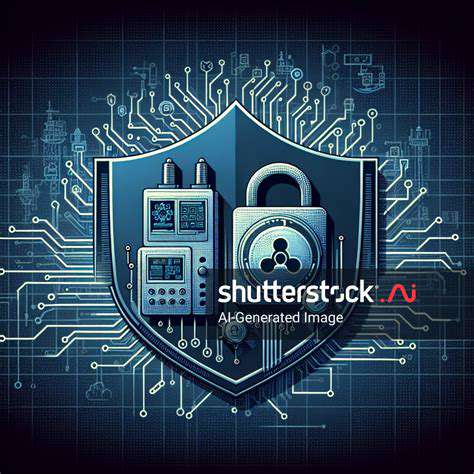
Cybersecurity is critical as remote work exposes organizations to increased cyber threats.
AI tools automate routine tasks, enhancing productivity and decision-making within teams.
Future workplace technologies will focus on employee well-being and immersive collaboration tools.
AI applications enhance productivity but face challenges like employee resistance and job security fears.
Integrating AI tools provides insights for strategic decision-making and operational efficiencies.
Cyber threats, including phishing and ransomware, necessitate robust security measures and training.
Multi-Factor Authentication significantly reduces risks of unauthorized access to sensitive data.
Creating a cybersecurity-aware culture empowers employees to recognize and report potential threats.
VR training significantly improves focus and skill retention for employees in various sectors.
AR enhances workplace training, offering real-time instructions and boosting employee efficiency.
Organizations face challenges in high costs and technology integration when adopting VR and AR.
Future VR and AR advancements promise personalized training experiences for employees.
Flexible workspaces emphasize adaptability, boosting employee satisfaction and productivity.
Collaborative technologies are essential for maintaining productivity in flexible work environments.
Flexible workspaces present challenges in team cohesion and performance monitoring.
1. The Rise of Remote Work Tools

1. Evolution of Communication Platforms
In recent years, communication platforms have evolved significantly to support remote work environments. Tools like Slack, Microsoft Teams, and Zoom have *transformed the way teams interact*, breaking geographical barriers. According to a recent study by Gartner, over 80% of organizations have integrated some form of digital communication tool to boost productivity.
These platforms not only facilitate real-time messaging but also offer integrations with various project management tools. As more teams adopt hybrid models, the demand for seamless collaboration features is skyrocketing. Moreover, the user-friendly interfaces of these tools encourage engagement and streamline workflows, aligning with contemporary workstyles.
2. Integration of Project Management Software
Project management software has gained immense popularity as teams seek to improve workflow transparency and efficiency. Applications like Trello, Asana, and Monday.com allow users to manage tasks, deadlines, and resource allocation from a single interface. Data from the Project Management Institute indicates that organizations using these tools can complete projects 25% faster than those that do not.
By using project management tools, companies can Enhance Accountability Among team members. It provides visibility that helps identify bottlenecks early. Furthermore, the capability to track progress and performance metrics empowers teams to make data-driven decisions and fosters a culture of continuous improvement.
3. Cybersecurity Considerations in Remote Work
With the rise of remote work tools, cybersecurity has become a critical concern for organizations. Remote work increases exposure to various cyber threats, such as phishing attacks and data breaches. In fact, recent reports indicate that cyberattacks have jumped by over 400% since the pandemic began.
- Education and training are essential for employees to recognize potential threats.
- Implementing robust security protocols can mitigate risks.
- Regular updates to security systems help maintain a safe working environment.
Focusing on effective cybersecurity strategies is not only about protecting sensitive data; it also builds trust with clients and partners. Strong security measures can set a business apart in today’s competitive landscape, proving that it values confidentiality and integrity.
4. The Role of Artificial Intelligence
Artificial intelligence (AI) is reshaping how remote teams approach various tasks. AI tools can automate mundane processes, freeing up valuable time for team members to concentrate on creative and strategic projects. Reports from McKinsey suggest that up to 30% of a workload could be automated using current AI technologies.
Incorporating AI in daily operations not only enhances productivity but also allows companies to leverage data for better decision-making. Chatbots, for instance, can handle customer inquiries 24/7, providing immediate responses that improve customer service. The implementation of machine learning algorithms can also optimize workflow by predicting project outcomes based on historical data.
5. Future Trends in Workplace Technologies
The future of workplace technologies is likely to feature even more innovative solutions that cater to evolving employee needs. As organizations continue to embrace remote work, we can expect developments in virtual reality (VR) and augmented reality (AR) for remote collaboration. These technologies have the potential to create immersive work experiences that replicate physical interactions.
Moreover, enhancing employee well-being through technology will likely become a focal point. Companies may invest in tools that promote work-life balance, such as flexible scheduling software and integrated wellness platforms. As we navigate this new landscape, organizations should remain adaptable and proactive in their approach to integrating emerging technologies in the workplace.
2. Increased Use of Artificial Intelligence
2.1 The Rise of AI in Everyday Tasks
Artificial Intelligence has rapidly transformed various routine tasks in the workplace, particularly in sectors such as finance, healthcare, and customer service. For instance, chatbots powered by AI are now resolving common customer inquiries without human intervention. These systems can understand and process natural language, significantly enhancing the efficiency of customer interactions.
In a survey conducted by McKinsey, 70% of organizations reported that AI applications improved their productivity. This trend highlights how AI not only reduces operational costs but also allows employees to focus on higher-value tasks, thereby increasing job satisfaction and engagement within teams.
2.2 AI-Driven Decision Making
AI technologies are increasingly being employed to analyze vast datasets and support decision-making processes. For example, predictive analytics utilize algorithms to forecast trends and behaviors, which enable businesses to make informed strategic choices. Companies tapping into these tools often experience significant competitive advantages.
Organizations like Amazon use AI algorithms to optimize inventory levels, ensuring they meet customer demands without overstocking. This application of AI has been shown to streamline operations and reduce waste, thus playing a crucial role in corporate sustainability strategies. Such data-driven approaches underline how AI is reshaping business strategy.
2.3 Challenges of AI Integration in the Workplace
While the benefits of AI adoption are clear, integrating these technologies into existing workflows presents several challenges. One key issue is the potential for resistance from employees who fear job loss or a dramatic change in their roles. Effective communication and training can help mitigate these concerns and ensure a smoother transition.
Research from Deloitte indicates that 58% of employees are anxious about how AI might impact their job security. It is essential for organizations to foster a culture that embraces AI as a collaborative tool rather than a replacement. Encouraging upskilling and reskilling initiatives can empower workers to adapt to new technologies and thrive in an AI-enhanced workplace.
2.4 Future Trends in AI Development
The future of AI in the workplace looks promising, with numerous advancements on the horizon that will further enhance operational capabilities. Developments in machine learning and natural language processing are expected to lead to more intuitive AI systems capable of engaging in complex problem-solving tasks. Anticipating these innovations is crucial for organizations aiming to stay ahead.
Moreover, AI's role in enhancing workplace diversity and inclusion is gaining attention. By removing bias from hiring processes, AI tools can help ensure a more objective and fair candidate selection process, creating a richer workplace environment. As AI technology evolves, businesses should remain proactive in exploring its benefits while addressing ethical considerations.
3. Emphasis on Cybersecurity
Understanding the Current Cyber Threat Landscape
The modern workplace faces a plethora of Cybersecurity Threats, with ransomware attacks becoming increasingly prevalent. According to a report from Cybersecurity Ventures, ransomware damages are projected to reach $20 billion globally by 2021. This statistic highlights the urgent need for robust cybersecurity measures, as businesses are constantly targeted for sensitive data that can be exploited.
Moreover, phishing attacks remain a significant concern, as cybercriminals employ sophisticated techniques to manipulate employees into divulging confidential information. A study conducted by the Anti-Phishing Working Group indicates that phishing attempts increased by 220% in the past year alone. This alarming trend underscores the necessity for comprehensive employee training programs and advanced email filtering solutions.
Implementing Multi-Factor Authentication (MFA)
Multi-Factor Authentication is a proven strategy to bolster security in any organization. By requiring users to provide two or more verification factors to gain access to devices or applications, MFA drastically reduces the risk of unauthorized access. A study by Microsoft revealed that enabling MFA can block 99.9% of automated attacks, making it a critical component of a secure workplace.
Organizations should prioritize implementing MFA across all systems, especially for remote access and sensitive applications. Additionally, as cybercriminals continually adapt their tactics, businesses must stay informed about the latest trends in MFA technology, such as biometrics and app-based authentication methods.
Regularly updating and reviewing the authentication methods in place can also ensure that the workplace remains protected against emerging threats.
Cultivating a Cybersecurity-Aware Culture
Creating an environment where cybersecurity is a shared responsibility is essential for any modern workplace. Employees are often seen as the last line of defense against cyber attacks; therefore, fostering a security-conscious culture can be remarkably effective. This means not only training employees but also encouraging open communication about cybersecurity issues and challenges they encounter.
Incorporating regular training sessions and interactive drills can help employees recognize and respond to potential threats. According to a report by the Ponemon Institute, organizations that implement ongoing cybersecurity awareness programs see a 70% reduction in successful phishing attacks. This kind of proactive approach not only enhances security but also empowers employees, making them active participants in protecting the organization's digital landscape.
Utilizing Advanced Threat Detection Tools
Organizations are increasingly turning to advanced threat detection tools powered by artificial intelligence to enhance their cybersecurity posture. These tools can analyze vast amounts of data in real-time, identifying abnormal behavior indicative of a potential breach. Companies that leverage AI-driven cybersecurity solutions can improve detection times significantly, which is crucial in mitigating the impact of security incidents.
Recent advancements in machine learning have further improved the accuracy of these tools, allowing for a reduction in false positives and ensuring that security teams can focus on genuine threats. Investing in such technologies can offer organizations an edge in maintaining a secure digital environment, helping to prevent breaches before they escalate into more severe incidents.
Developing a Comprehensive Incident Response Plan
Despite the best preventive measures, cyber incidents can still occur, making it paramount for organizations to have a robust incident response plan in place. A well-structured plan should outline clear protocols for identifying, investigating, and responding to cybersecurity incidents. The readiness to act quickly can significantly limit potential damage and recovery time.
Additionally, regular drills and updates to the incident response plan ensure that all team members understand their roles in a crisis. The National Institute of Standards and Technology (NIST) recommends that organizations practice their incident response protocols at least annually. Such preparations not only enhance response efficacy but also instill confidence among employees, reassuring them that they are equipped to handle cybersecurity threats effectively.
4. Virtual Reality and Augmented Reality in Training
Understanding Virtual Reality in Training Environments
Virtual Reality (VR) immerses users in a simulated environment where they can engage in tasks and scenarios without any real-world consequences. This ability to practice in a safe space is especially beneficial in sectors such as healthcare, aviation, and emergency response, where training can be both costly and risky. With VR, trainees can experience realistic situations and enhance their decision-making skills without the pressure of real stakes.
Research shows that VR training can improve retention and performance. A study by PwC found that employees trained through VR are four times more focused than their e-learning counterparts. They also learn four times faster and are significantly more confident in applying their skills in the workplace. This data supports the growing trend of incorporating VR into corporate training programs, as organizations seek to maximize their training investments.
Moreover, VR technology allows for the personalization of training experiences. Trainees can progress at their own pace, and instructors can track performance metrics to identify areas needing improvement. This customization fosters a deeper understanding of the material and helps facilitate a more engaging learning environment.
Benefits of Augmented Reality in Skill Development
Augmented Reality (AR) enhances real-world environments by overlaying digital information onto physical objects. This technology has emerged as a valuable tool for training staff in various sectors, particularly in manufacturing and maintenance. For instance, AR can provide step-by-step instructions displayed directly onto machinery, reducing the likelihood of errors and enhancing worker efficiency.
Moreover, companies that utilize AR in their training programs report faster onboarding processes and improved employee skill levels. A survey by Deloitte indicates that 80% of organizations using AR in training see measurable improvements in productivity. This statistic reflects the transformative impact AR is having on training protocols across industries, driving a more hands-on approach to learning.
Challenges in Implementing VR and AR Technologies
Despite the many advantages of VR and AR in training, there are challenges that organizations must consider. High costs associated with the initial setup and technology acquisition can deter some businesses from investing in these systems. Additionally, the rapid pace of technological advancement means companies may face obsolescence issues if they don't continually update their systems.
Another notable challenge is the learning curve that comes with new technologies. Employees may feel intimidated or frustrated by unfamiliar tools, which can lead to decreased morale or productivity during the transition phase. To mitigate this resistance, companies should provide comprehensive training and support to ensure a smooth integration of VR and AR technologies into their existing training programs.
Furthermore, businesses should also consider the effectiveness of VR and AR in relation to their specific training needs. Not all training scenarios may benefit equally from these technologies. A thoughtful assessment of training goals versus the capabilities of VR and AR is essential for companies looking to enhance their learning environments.
The Future of VR and AR in Workplace Training
The future of VR and AR in workplace training looks promising, with continuous advancements in technology expanding the scope and effectiveness of these tools. Innovations in hardware, such as lighter and more intuitive headsets, are making VR and AR more accessible to a broader audience. This accessibility will likely drive greater adoption rates among organizations seeking to modernize their training methods.
Moreover, as integration with artificial intelligence (AI) becomes more prevalent, VR and AR platforms can offer personalized training experiences that adapt to the users’ skill levels in real time. This evolution could lead to unparalleled levels of engagement and effectiveness in training programs, whereby each learner receives a uniquely tailored educational experience.
In conclusion, leveraging VR and AR technologies in workplace training not only prepares employees for real-world challenges but also cultivates a culture of innovation and continuous learning within organizations. By embracing these technologies, companies position themselves to meet the demands of a rapidly changing work environment.
5. The Shift Towards Flexible Workspaces

Understanding Flexible Workspaces
The rise of Flexible Workspaces has transformed the traditional office environment. Companies now prioritize agility and adaptability in their workspace designs to accommodate changing workforce needs. These spaces often include open floor plans, collaborative areas, and relaxing zones that promote creativity and teamwork. In fact, a study by Stanford University found that employees working in flexible settings report a 13% increase in productivity compared to those in a traditional office.
Moreover, the concept of flexible workspaces extends beyond mere physical layouts; it encompasses a cultural shift towards greater autonomy for employees. By allowing workers to choose their work location—whether it's a hot desk in the office or a corner at home—companies empower individuals to tailor their environments. This personalization can lead to improved job satisfaction and retention rates.
The Role of Technology in Flexible Workspaces
Technology plays a crucial role in enhancing the functionality of flexible workspaces. Collaborative tools like Slack, Zoom, and Trello enable seamless communication, allowing teams to stay connected regardless of their location. Data from McKinsey indicates that organizations leveraging these technologies report a 20% increase in overall team collaboration, affirming the significance of digital tools in modern workplaces.
- Cloud-based services simplify access to shared resources.
- Smart office solutions optimize energy use and improve comfort.
- Virtual reality can facilitate remote group engagements.
Challenges of Implementing Flexible Workspaces
While adopting flexible workspaces offers numerous benefits, it also comes with its own set of challenges. One major concern is the potential impact on team cohesion. Managers must actively foster connections among employees who may not interact regularly. A lack of face-to-face communication can lead to feelings of isolation or disconnect. Organizations need to implement strategies that encourage frequent interactions, such as regular team-building activities or virtual check-ins.
Additionally, the shift towards flexibility may complicate performance monitoring. Assessing productivity and work quality is more complex when employees are dispersed across different environments. Organizations should focus on setting clear goals and relying on performance metrics rather than solely on time spent in the office to evaluate employee effectiveness.
Read more about Tech Trends Shaping the Modern Workplace









Hot Recommendations
- Tech Industry Predictions for the Future
- Smart Lighting Systems Compared
- Best Tablets for Note Taking and Productivity
- Wireless Headphones Buying Guide: What to Look For
- Best Tablets for Education
- Apple Watch vs Android Smartwatches
- Best Bluetooth Headphones for Work and Travel
- When to Upgrade Your Tech Devices
- The Total Cost of Owning Tech Devices
- Sustainability in Consumer Technology