Best Tech Setup for Digital Nomads
Using a Virtual Private Network (VPN) is becoming increasingly essential for digital nomads who frequently connect to public Wi-Fi networks, which can pose security risks. A VPN encrypts your internet traffic and helps protect sensitive data from potential cyber threats. In fact, studies show that over 70% of cybersecurity breaches occur through unsecured networks, highlighting the importance of using a robust VPN service.
When choosing a VPN, review their server locations, speed performance, and privacy policies. Options like NordVPN or ExpressVPN are popular among travelers due to their extensive server networks and strong encryption methods. Selecting the right VPN is crucial for maintaining your digital security while you work remotely.
Satellite Internet: A Last Resort
While satellite internet isn't the most widely used option, it can be a lifesaver in remote areas where conventional connections are unavailable. Services like Starlink are changing the game by offering high-speed internet access even in the most isolated locations. They deploy satellites over a broad area, which makes it feasible for workers to connect from virtually anywhere.
However, it's worth noting that satellite internet often comes with higher latency rates than traditional broadband. Therefore, tasks requiring real-time interaction, such as video conferencing, may not perform optimally. Thus, satellite solutions are best reserved for situations where no other alternatives are feasible.
Wi-Fi Availability in Co-Working Spaces
Co-working spaces have proliferated in recent years, not just in major cities but also in less urbanized regions. These spaces generally offer high-speed Wi-Fi, comfortable workstations, and networking opportunities—all of which benefit digital nomads. Research indicates that productivity increases when nomads share their work environment with like-minded professionals.
However, before choosing a co-working space, investigate the Wi-Fi quality, as performance can vary significantly. Reviews and testimonials can provide insight into the reliability and speed of their network, ensuring you can work uninterrupted and focus on your tasks.
Portable Wi-Fi Devices: Your Travel Buddy
For those constantly on the move, Portable Wi-Fi devices have emerged as reliable companions. These battery-powered devices can connect multiple gadgets simultaneously, providing a personal hotspot wherever you are. Some models even allow you to pre-purchase data packs or switch between local carriers, enhancing both functionality and flexibility.
While selecting a portable Wi-Fi device, consider factors such as battery life, data speed, and coverage areas. Brands like Skyroam and Keepgo offer attractive options that cater specifically to digital nomads' unique needs, making them a worthwhile investment for seamless connectivity.
3. Cloud Storage and Collaboration Tools

Benefits of Cloud Storage for Digital Nomads
- Accessibility from any internet-connected device.
- Automated backups enhance data security.
- Collaboration features streamline team projects.
One of the critical advantages of using cloud storage is the accessibility it offers. Digital nomads rely on having their essential files at their fingertips, regardless of where they are in the world. This mobility allows them to work effectively from cafés in Paris, beaches in Bali, or coworking spaces in Tokyo.
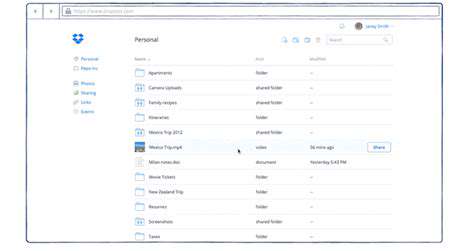
Cloud Storage Solutions such as Google Drive or Dropbox provide automated backups that significantly enhance data security. Some plans even offer version history, allowing users to recover previous file versions if needed, which can save valuable work time during unexpected mishaps.
Popular Cloud Storage Solutions
Several cloud storage options cater to the specific needs of digital nomads. For instance, Google Drive offers 15 GB of free storage and integrates seamlessly with other Google services. This is especially advantageous for those who already rely on Google tools for their workflow.
Another noteworthy option is Microsoft OneDrive, particularly appealing for users of Microsoft Office products. It provides collaborative features like real-time document editing, which can be a game changer for teams working remotely.
Collaboration Tools That Enhance Productivity
Utilizing collaboration tools can significantly improve work efficiency. Tools like Slack and Trello facilitate streamlined communication and task management, which is essential when team members are scattered across different time zones. This kind of synchronization is vital for meeting deadlines and maintaining productivity.
Moreover, these platforms often integrate with other systems, enhancing their usability. For example, Trello's integration with Google Drive allows users to attach documents directly to their project boards, streamlining workflow and reducing the hassle of switching between applications.
Choosing the Right Collaboration Tool
Selecting the appropriate collaboration tool depends on specific team needs and workflows. For smaller teams, tools like Asana or Notion might be sufficient, while larger teams may benefit from more robust solutions like Microsoft Teams.
It's critical to assess the required features—such as file sharing, chat, and video conferencing capabilities—to ensure effective coordination. A tool that fits the team’s unique requirements can lead to improved productivity and more enjoyable work experiences.
Security Considerations for Cloud-Based Work
Data security is paramount for digital nomads, given their reliance on cloud storage. It's essential to choose services that offer strong encryption both in transit and at rest. Providers like pCloud and Sync.com emphasize security features, making them popular choices for sensitive work.
Additionally, using two-factor authentication (2FA) adds an extra layer of protection. This practice mitigates the risk of unauthorized access to important documents, which is especially crucial when working on public Wi-Fi networks.
Maximizing the Benefits of Remote Collaboration
Finding the right balance between technology and personal interactions is essential. While tools facilitate collaboration, they can't replace the human element. Hosting regular virtual meetings can foster teamwork and interaction among team members, assisting in building camaraderie despite geographical distances.
Furthermore, it's beneficial to allocate time for informal team-building activities online. These efforts can create a sense of community and drive engagement, which are essential components for sustained productivity and job satisfaction.
4. Ergonomic Accessories for Comfort
Adjustable Laptop Stands for Improved Posture
When working remotely, especially in varied environments, maintaining good posture is crucial. An adjustable laptop stand can help elevate the screen to eye level, which reduces neck strain and promotes a healthier spine alignment. According to the American Chiropractic Association, poor posture can lead to long-term musculoskeletal issues, making this accessory invaluable for digital nomads.
Selecting a portable laptop stand isn't just about aesthetics; it's about functionality too. Many models offer angle adjustments, allowing you to find the optimal viewing height that suits your working position. This flexibility is especially important when transitioning from a café to a co-working space where surfaces may vary in height. Keep in mind that stands made from lightweight materials like aluminum provide durability without adding bulk to your carry-on luggage.
Ergonomic Keyboards and Mice: Enhancing User Comfort
An ergonomic keyboard and mouse setup can dramatically improve your comfort level when working for extended periods. Traditional keyboards can contribute to repetitive strain injuries, so opting for a split or tented design can help minimize wrist tension. A study published by the Journal of Occupational Rehabilitation indicates that ergonomic peripherals can significantly reduce discomfort and enhance productivity among users.
Moreover, the benefits of an ergonomic mouse should not be overlooked. A vertical mouse, for instance, allows for a more natural hand position, reducing the likelihood of wrist pain. Investing in high-quality ergonomic accessories can enhance your work efficiency while preserving your physical health. It’s worth trying out different models to find the right fit for your hand size and personal preference.
5. Power Solutions for Extended Workdays

Choosing the Right Portable Chargers
When it comes to extending your workday, a reliable portable charger can make all the difference. Consider the Battery capacity; a charger with at least 10,000 mAh is a solid choice. This capacity allows you to charge most laptops and tablets multiple times, ensuring you won’t run out of juice during crucial moments. Additionally, look for chargers that support fast charging technology, which can significantly reduce downtime.
Another key factor to consider is the charger’s weight and size. You want power without compromising portability. Lightweight models that fit easily into your backpack are ideal for digital nomads always on the go. Many brands now offer compact designs that still pack a punch in terms of power.
Utilizing Solar Power Options
For those who spend considerable time outdoors, integrating solar power solutions can be a game changer. Portable solar panels are becoming more efficient, allowing you to harness sunlight to charge your devices. Research shows that high-efficiency panels can convert up to 22% of sunlight into usable energy. This is particularly useful in remote areas where conventional charging options are limited.
- Look for lightweight, foldable solar panels for easy transportation.
- Ensure compatibility with your devices; many solar chargers come with multiple port options.
- Keep panel positioning in mind; optimal sunlight exposure is crucial for effective charging.
Backup Power Solutions for Emergencies
It's essential to have a backup plan for those unforeseen emergencies. A small, reliable power bank can provide a valuable safety net, especially in situations where standard sources are unavailable. Investing in a power bank that can charge multiple devices at once is wise, as it increases your flexibility when working in varying environments. You’ll be able to charge your phone while your laptop powers up, ensuring all your tech is operational.
Consider also carrying a portable generator if your work necessitates high-power devices. While this may not cater to everyone’s needs, it can be invaluable for those requiring consistent electricity. These generators are often surprisingly compact and come with a range of outputs, making them versatile enough for numerous devices.
Best Practices for Managing Power Consumption
Managing power consumption effectively can prolong your work sessions significantly. Start by adjusting your device settings to optimize battery life; dimming your screen brightness and closing unnecessary applications are simple yet effective tactics. Incorporating external monitors can also help; they generally consume less power than laptops alone. By configuring your setup wisely, you can stretch your power usage through the day.
Moreover, consider scheduling your work hours around charging opportunities. If you know you’ll be stationary during certain hours, take advantage of that to recharge your devices fully. This simple habit can considerably reduce anxiety about running low on battery while using your tech in places where power access is uncertain.
Read more about Best Tech Setup for Digital Nomads