Explore expert reviews of the latest technologies including the MacBook Air M3 and OnePlus 13, comparisons like Sony WH 1000XM6 vs Bose QuietComfort 55, and in-depth guides on blockchain and computer vision.
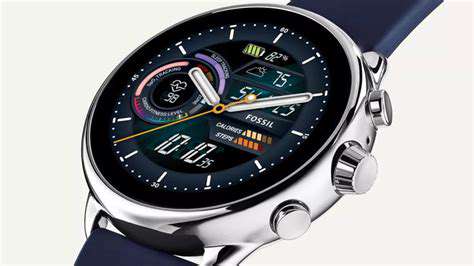
Apple Watch Series 9, Samsung Galaxy Watch 6, Fitbit Charge 6, Garmin Venu 3, and Fossil Gen 6Welcome to your ultimate guide on the latest and greatest smartwatches of 2025! Discover how these innovative devices blend technology with lifestyle, health, and fitness tracking, making them must-have companions for both tech enthusiasts and casual users alike. 1. Apple Watch Series 9: The All-Round PerformerThe Apple Watch Series 9 stands at the forefront of smart technology with its new S9 chip, enhancing performance and battery efficiency—offering over 18 hours of usage. This powerhouse features advanced health monitoring technologies such as blood oxygen levels and ECG, coupled with customizable watch faces for personalization. Priced competitively at around $399, the Apple Watch Series 9 is available across several retail channels, and it's designed for those who seek a reliable yet stylish smartwatch. 2. Samsung Galaxy Watch 6: The Elegant Android CompanionThe Samsung Galaxy Watch 6 merges style with functionality, boasting a chic design crafted with durable ceramic and aluminum materials. Its 1.5-inch AMOLED display allows for easy reading, while its fitness and health tracking capabilities cater to the active individual. With accurate heart rate monitoring and an array of workout modes, this device lasts up to 40 hours on a single charge, making it ideal for everyday use and athletic pursuits. 3. Fitbit Charge 6: The Fitness FocusFor fitness enthusiasts, the Fitbit Charge 6 integrates advanced tracking features alongside a sleek design. With functionalities like heart rate monitoring and built-in GPS, it tracks workouts accurately. Furthermore, its extensive battery life of up to seven days on a single charge allows users to monitor their wellness without hassle. The user-friendly app and comprehensive health insights amplify its value, making the Charge 6 an essential health companion. 4. Garmin Venu 3: The Athlete’s ChoiceRenowned for its robust athletic features, the Garmin Venu 3 excels with integrated GPS for outdoor tracking and health monitoring capabilities. This smartwatch offers up to 14 days of battery life, ensuring it keeps pace with the most ambitious training sessions. Constructed with premium materials to enhance durability and featuring seamless integration with fitness apps, the Garmin Venu 3 is designed for athletes and active users seeking detailed fitness insights. 5. Fossil Gen 6: Fashion Meets FunctionalityThe Fossil Gen 6 is all about stylish functionality, offering customizable options and a sophisticated design that combines style and technology. Powered by the Snapdragon Wear 4100+ chipset, it delivers improved performance and health tracking metrics. With compatibility across iOS and Android, and competitive pricing, the Fossil Gen 6 presents a balanced choice for those who value both aesthetics and performance in a smartwatch. ConclusionEach of these smartwatches brings a unique set of features catering to various user needs—whether for fitness, style, or general daily use. Explore these options to find a smartwatch that fits your lifestyle in 2025 and enjoy the blend of technology and convenience at your wrist!
Feb 16, 2026

Reliability and PerformanceIntel has established a strong reputation for reliability and high performance. Notable architectural innovations, such as the Alder Lake and Raptor Lake series, incorporate a hybrid core design that optimally balances performance and energy efficiency. This advancement is particularly significant for users requiring extended laptop battery life. Additionally, the implementation of 10nm SuperFin technology enhances transistor density, ensuring steady performance without overheating.Intel CPUs excel in benchmarks, boasting superior single-core performance, making them ideal for gaming and everyday tasks. Their integrated graphics, particularly the Iris Xe, also provide sufficient capabilities for casual tasks without the need for a dedicated GPU. AMD CPUs: Value and Multi-Core ExcellenceAMD has gained traction with its Ryzen series, recognized for exceptional multi-core performance and affordability. With chips like the Ryzen 9 5900X, AMD effectively delivers high core counts at competitive prices, significantly appealing to content creators and gamers. The value proposition of AMD CPUs is further enhanced by their efficient pricing strategies, allowing consumers to make informed purchasing decisions.Moreover, AMD's architecture promotes effective thermal management, ensuring that CPUs like the Ryzen 7 5800U run cooler and quieter compared to previous generations. This focus on power efficiency is critical in today's mobile-centered work environments. Apple Silicon: A Game Changer in Laptop CPUsApple has radically transformed the laptop CPU scene with their M1 and M2 chips. By transitioning to ARM-based architecture, Apple achieved benchmark-busting performance, outpacing many Intel models and ensuring impressive battery life. For example, users report up to 18 hours of usage with the MacBook Air M1, a game-changing feature for on-the-go professionals.The seamless compatibility of Apple Silicon with various software applications, thanks to the Rosetta 2 translation layer, has made the transition from Intel smooth for many users. Additionally, integrated graphics within the M1 and M2 chips provide remarkable performance in graphics-heavy applications, contributing to a holistic and efficient user experience. Choosing the Right CPU for Your NeedsWhen selecting a CPU, consider the specific tasks you'll be performing. Intel excels in single-threaded applications, making it a top choice for gaming, while AMD's multi-core capabilities cater to content creators. Meanwhile, if you prioritize battery life and integration within an Apple ecosystem, the M1 or M2 would be ideal.In conclusion, whether you're leaning toward Intel's reliability, AMD's value and multi-core strength, or the efficiency of Apple Silicon, each CPU brings unique advantages tailored to different user needs. With the right choice, you'll be well-prepared to tackle any computing challenge ahead.
Feb 16, 2026

Smart Notebooks, Ergonomic Solutions, and MoreWelcome to your guide to optimizing productivity through innovative tools that blend technology with comfort. Explore the intersection of traditional and modern methods with smart notebooks, ergonomic keyboards, noise-cancelling headphones, portable monitors, and task management applications. The Rise of Smart NotebooksSmart notebooks are transforming how we take notes, appealing to students and professionals alike. With tools like Rocketbook and Wipebook, users can seamlessly transfer handwritten notes into digital formats, enhancing organization and storage. By 2018, 23% of students embraced digital note-taking, with over 60% of professionals reporting increased productivity thanks to digital solutions. Key features to consider in a smart notebook include compatibility with mobile apps and the ability to reuse pages, making them both sustainable and efficient. Ergonomic Keyboards and Mice: A Comfort RevolutionErgonomics plays a vital role in reducing strain and improving efficiency in your workspace. Bad posture while using keyboards and mice can lead to injuries such as carpal tunnel syndrome. Investing in ergonomic devices means not only enhanced comfort but also a boost in productivity, with studies showing as much as a 30% increase. Look for split keyboards, vertical mice, customizable keys, and wireless options when choosing your ergonomic tools. Create Your Sound Sanctuary with Noise-Cancelling HeadphonesElevate your focus with noise-cancelling headphones that block out distractions. Using passive and active technologies, these headphones help maintain concentration by creating an ideal listening environment. Professionals report improved productivity levels when utilizing noise-cancelling headphones, particularly in busy offices or during virtual meetings. Key features to consider include battery life, comfort, and sound quality, ensuring you find the perfect model suited to your needs. Expand Your Workspace with Portable MonitorsPortable monitors provide versatility in workspace setup, ideal for remote workers and students. These compact devices can significantly enhance productivity by facilitating a dual-screen experience, allowing users to multitask efficiently. When choosing a portable monitor, prioritize display quality, portability, connectivity options, and battery life to meet your needs. Products like the ASUS ZenScreen and Lenovo ThinkVision M14 are leading choices in performance and convenience. Stay Organized with Task Management AppsEffectively managing your tasks is crucial in any work environment. From simple to-do lists to advanced project management tools, selecting the right app is essential based on your specific requirements. Applications like Todoist and Trello cater to various preferences, whether you seek simplicity or comprehensive project tracking. Consistent check-ins and reminders can help you stay proactive, bridging tasks to your daily routine.---Transform how you work with smart notebooks, ergonomic equipment, noise-cancelling headphones, portable monitors, and effective task management tools. Each of these innovative solutions plays a significant role in enhancing productivity and ensuring a well-organized workflow. Invest today in tools that not only improve your efficiency but also prioritize your health and well-being.
Feb 15, 2026

A Comprehensive Overview of Modern Development ToolsExplore the forefront of cloud computing and application development with Microsoft Azure, Google Firebase, Flutter, React Native, and Xamarin. This guide delves into the unique features of each platform, designed for developers seeking to leverage cutting-edge technology in their projects. Microsoft Azure: A Multidimensional Cloud PlatformMicrosoft Azure is a robust cloud services platform recognized for its extensive offerings, including compute, analytics, storage, and networking. With its capabilities tailored for enterprises of all sizes, Azure supports various programming languages and tools, ensuring developers can build, scale, and integrate applications seamlessly. Notably, Azure’s integration with Microsoft products like Office 365 enhances operational efficiency, while its dedicated focus on security and compliance establishes a safe environment for sensitive data. Google Firebase: The Agile Development SolutionGoogle Firebase stands out as a comprehensive platform tailored to modern developers. From real-time databases to powerful analytics tools, Firebase promotes agility in project management, allowing teams to quickly prototype and deploy applications while ensuring optimal performance. This platform supports both front-end and back-end development, further streamlining the developer experience. Flutter: Revolutionizing User Interface DevelopmentFlutter is a game-changing UI toolkit known for its layered architecture that supports complex UIs. With exceptional performance driven by Direct-to-GPU rendering and Dart programming language, Flutter facilitates cross-platform application development, allowing developers to create apps for iOS and Android from a single codebase. The strong community and abundant resources make Flutter an attractive choice for developers focused on creating visually stunning, high-performance applications. React Native: Bridging Mobile and Web DevelopmentDeveloped by Facebook, React Native harnesses JavaScript and React to empower developers in building native mobile applications efficiently. This open-source framework facilitates the use of native components, resulting in better performance and user experience. The supportive community provides extensive resources, enhancing the development process, while real-world applications from industry giants underscore React Native's viability for cross-platform projects. Xamarin: Microsoft’s Cross-Platform AdvantageXamarin offers an efficient framework that utilizes a single codebase for cross-platform development, achieving almost native performance for applications. With seamless integration into the Microsoft ecosystem, Xamarin pairs well with Azure and Visual Studio, enabling efficient project management and collaboration. While the challenges of app size and dependency on third-party libraries exist, Xamarin's continual advancements and community support make it a path for innovation in mobile app development. ConclusionChoosing the right platform is crucial for developers aiming to deliver exceptional user experiences. Microsoft Azure, Google Firebase, Flutter, React Native, and Xamarin each provide unique strengths tailored for various project needs. As technological advancements continue, staying updated on these tools will empower developers to innovate and excel in the competitive landscape of application development.
Feb 15, 2026

A Comprehensive GuideWhen considering a smartwatch for fitness tracking, it's essential to evaluate key features that can enhance your workout and health monitoring experiences. This guide covers various aspects, from core tracking functionalities to the role of apps in optimizing your fitness journey. Core Fitness Tracking FeaturesBegin with core tracking functionalities such as heart rate monitoring, GPS accuracy, and sleep tracking. These features are crucial for both casual exercisers and serious athletes. For example, consistent heart rate monitoring can optimize workout efficiency, while robust GPS capabilities allow runners and cyclists to accurately measure distance and pace. The Importance of Health MetricsHealth metrics like VO2 max, recovery time, and Body Mass Index (BMI) offer valuable insights into your fitness levels. Smartwatches that provide these metrics help users tailor their workouts and recovery periods, ultimately enhancing performance. Key Health Metrics:- VO2 Max: A benchmark for aerobic fitness.- Recovery Time: Insights into post-exercise recuperation.- BMI: An assessment of body composition and health risks. Battery Life ConsiderationsBattery life is a critical aspect of smartwatch usability. Most users prefer devices that can last at least three days on a single charge, especially during strenuous activities. The balance between advanced features and efficient power management, such as using hybrid models, can prolong battery life without sacrificing functionality. Factors Influencing Battery Life:- Screen size (AMOLED vs. LCD)- Connectivity features (Bluetooth, Wi-Fi, GPS)- Operating system and app usageTo maximize battery longevity, consider adjusting settings like brightness and notifications, and utilize power-saving modes when necessary. App Ecosystem and IntegrationsThe apps available for smartwatches significantly enhance their capabilities. Personalized workout plans, guided training sessions, and social interactions through fitness apps play a crucial role in motivating users. Engaging with fitness apps encourages a more active lifestyle. Importance of App Compatibility:Opt for smartwatches that seamlessly integrate with popular applications like Strava or MyFitnessPal to unlock detailed metrics and analytics. Integration with Health Ecosystems:Smartwatches that sync with platforms such as Apple Health, Google Fit, and Samsung Health enable broader health management, allowing users to track diverse health data. Customization and User ExperienceCustomization enhances user experience in smartwatches. Features that permit users to tailor interfaces and health metrics can significantly enhance daily engagement. Advanced customization options lead to better usability and satisfaction. Future Trends in Smartwatch TechnologyThe future of smartwatches looks promising with innovations in battery technology and app ecosystems. Advancements in AI-driven health insights and machine learning may provide tailored health advice and proactive health management in the years to come.In conclusion, when evaluating fitness features in smartwatches, focus on tracking capabilities, health metrics, battery performance, and app integrations. By considering these factors, you can make a more informed choice that aligns with your fitness goals and lifestyle.
Feb 15, 2026
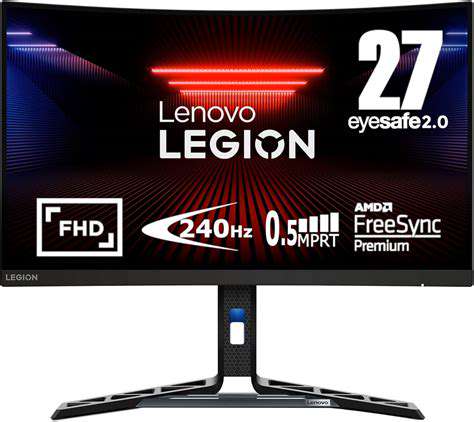
Gaming headsets are vital for any gamer seeking to enhance their sound quality and immersion. Models feature advanced surround sound technology for detailed audio clarity—critical for detecting subtle in-game cues. Comfort is also paramount, with options that include plush ear cushions and adjustable headbands to minimize fatigue during marathon gaming sessions.Top Models: Notable models include the HyperX Cloud II and ASUS ROG Throne Q. The former is praised for comfort and sound quality, while the latter delivers customizable settings and aesthetics. 2. Ergonomic Gaming ChairsHealth Matters: Ergonomic gaming chairs focus on supporting gamers’ posture to mitigate strain during prolonged gameplay. Features like adjustable lumbar support and breathable materials contribute to comfort and better blood circulation, drastically improving your gaming performance.Choosing the Right Chair: Look for adjustable features and quality materials. A reliable warranty from reputable brands also enhances your peace of mind when investing in a chair. 3. Next-Gen Gaming ConsolesPlayStation 5 & Xbox Series X: These consoles deliver fast load times, vibrant graphics, and backward compatibility with older titles. Support for 4K resolution and smooth gameplay ensures you're fully immersed in your favorite games.Enhance with Accessories: To maximize your experience, consider high-quality headsets for clarity, customizable controllers, and 4K monitors. 4. Gaming Laptops for On-the-Go PlayPower and Portability: Gaming laptops are designed with high-end processors, ample RAM, and robust cooling systems to handle demanding games. Models like the Razer Blade 15 and ASUS ROG Zephyrus G14 offer portability without compromising performance.Key Features: Ensure your gaming laptop has powerful GPUs and a high-refresh-rate display to enhance your playing experience. 5. Gaming Accessories That Make a DifferenceBoost Your Game: High-quality controllers and mechanical keyboards are essential for enhancing control and precision. Invest in gaming audio gear, like headsets with surround sound, for immersive gameplay. Don’t overlook the importance of comfortable gaming chairs to support long gaming sessions without discomfort. Final ThoughtsSelecting the right gaming gear is crucial for performance and enjoyment. Stay updated with the latest models and trends to ensure you have the best setup for both competitive play and casual gaming. By investing in high-quality gaming headsets, ergonomic chairs, next-gen consoles, advanced laptops, and essential accessories, you can transform your entire gaming experience!For more in-depth reviews and recommendations, browse our website and stay connected with the gaming community!
Feb 15, 2026
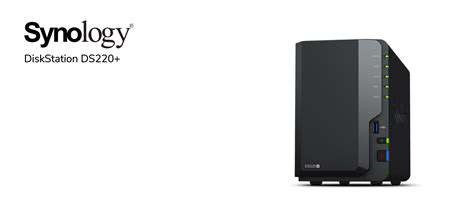
Automated backup solutions eliminate mundane manual backups, keeping your files securely archived. With features like data encryption and user authentication protocols, NAS devices enhance privacy and safeguard sensitive information. 2. Cost-Effectiveness: While a NAS may seem like a hefty initial investment, it offers long-term savings. As your data storage needs grow, a NAS expands without the frequent costs associated with external hard drives or monthly cloud storage fees. 3. Media Streaming and Entertainment: If you enjoy digital media, a NAS can stream content to devices like smart TVs and tablets. Many NAS systems support applications like Plex for enhanced media organization, allowing for a seamless entertainment experience.4. Collaboration and File Sharing: Streamline teamwork with easier collaboration features. Create shared folders for family members or team members to access necessary documents without using cumbersome third-party platforms. This setup ensures quick access to files without device-swapping hassles.5. Future-Proofing Your Data Management: The adaptive nature of NAS devices allows for easy upgrades to accommodate expanding storage needs. With technology advancing rapidly, investing in a flexible NAS ensures it meets future requirements. Top NAS Devices for Home Use 1. Synology DS220+The Synology DS220+ is an optimal choice for home users, known for its user-friendly interface and powerful hardware capabilities. It boasts capabilities for RAID configurations, making it a reliable storage solution for multimedia streaming and file sharing. 2. QNAP TS-451+With extensive features catered to multimedia enthusiasts, the QNAP TS-451+ supports Plex Media Server and offers transcoding for seamless video streaming. Its four-bay design provides ample storage capacity while maintaining strong performance. 3. Western Digital My Cloud HomeDesigned for convenience, the WD My Cloud Home allows for easy setup and intuitive file management. With automatic backup capabilities and strong data security measures in place, this device is ideal for users seeking straightforward solutions. 4. TerraMaster F2-221The TerraMaster F2-221 stands out for its robust build and affordability. With solid specifications and a user-friendly interface, this NAS provides excellent performance for home office setups and media serving. ConclusionChoosing the right NAS device depends on your specific needs—whether it's for media streaming, secure data storage, or enhancing teamwork. By investing in a high-quality NAS, you're not just buying a product; you're securing your digital life for years to come. With numerous options available, integrating a NAS into your home can elevate your data management strategy, providing peace of mind along the way.
Feb 15, 2026

Enhance Your Learning Experience Noise-Canceling Headphones: Focus in SilenceExplore the benefits of noise-canceling headphones as a vital study tool. Designed to minimize distractions, these headphones can reduce ambient noise by up to 30 decibels, facilitating improved concentration and information retention. Research from Stanford shows that students using noise-canceling technology excel in recall tests, emphasizing the headphones' role in effective learning. When choosing your ideal models, consider features like adjustable noise cancellation, battery life ideally exceeding 20 hours, and Bluetooth connectivity. Smart Notebooks: Merge Tradition with TechnologySmart notebooks have revolutionized note-taking by combining the tactile experience of writing with digital efficiency. Instantly digitize your handwritten notes with innovative tech that connects seamlessly to cloud services, enabling easy access from multiple devices. Popular options include the reusable Rocketbook Everlast and the Moleskine Smart Writing Set, each designed to enhance learning retention through dual processes of writing and organization. Maximize your smart notebook experience by utilizing compatible apps for note management and incorporating color-coding for better organization. Ergonomic Keyboards and Mice: Comfort Meets EfficiencyCreating a comfortable workspace is crucial for productivity, and ergonomic keyboards and mice are at the forefront of this endeavor. These devices are designed to minimize strain, helping prevent long-term health issues while promoting efficiency. Choose from split or curved keyboards that suit your hand position and consider a vertical mouse to reduce wrist strain. Establish your workspace ergonomically to enhance comfort and focus, thus improving overall productivity. Portable Chargers and Power Banks: Power Up AnywhereStay powered on-the-go with reliable portable chargers and power banks. Understand your specific power requirements based on device usage, ensuring you choose a charger with adequate battery capacity. Look for essential features like fast charging technology and multiple ports for simultaneous device charging. Recommended brands include Anker and RAVPower, known for their performance and reliability. Maintain optimal performance by keeping your power bank above 20% charge and using quality cables to enhance efficiency. Task Lighting Solutions: Illuminate Your Study SpaceTask lighting plays a vital role in creating an effective study environment, reducing eye strain while boosting concentration. Discover various types of task lighting, including desk lamps and clip-on lights, tailored for different activities. Choose energy-efficient LED bulbs with a color temperature between 3000K to 4000K for optimal visibility. Adjustability is key—the right placement can minimize shadows and glare, fostering an ideal setting for focused study sessions. Smart lighting technology offers flexibility, making it easy to control conditions from your devices, further enhancing your study atmosphere.---By integrating these technology tools into your study regimen, you can create an efficient, focused, and comfortable learning environment. Stay ahead with these modern study aids and take your educational experience to the next level.
Feb 15, 2026
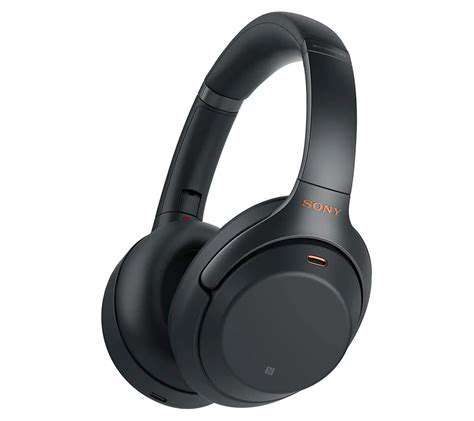
Enhance Your Remote Work Experience with Ergonomic Tools and Smart DevicesIn today’s digital age, creating an efficient and comfortable workspace is more crucial than ever, especially for remote workers. This guide explores essential ergonomic products and smart devices that significantly enhance productivity and well-being during work hours. 1. Invest in Ergonomic Keyboards and MiceUnderstanding the Importance of Ergonomics Working long hours on a computer can lead to repetitive strain injuries, with studies showing that approximately 60% of remote workers experience musculoskeletal discomfort due to poor setups. An ergonomic keyboard promotes a neutral wrist position, whilst ergonomic mice help prevent wrist strain, allowing for longer work sessions without discomfort. Properly designed equipment can improve posture, leading to heightened focus and productivity.Stress Relief and Productivity Improvement Ergonomic keyboards often feature split designs to aid in natural hand positioning, which can alleviate pressure from the shoulders and neck. Research suggests that using ergonomic equipment can boost productivity by up to 20%. Furthermore, customizable mice with adjustable DPI settings cater to individual preferences for greater operational efficiency. 2. Enhance Communication with High-Quality WebcamsVideo Quality Matters A high-quality webcam is essential for virtual meetings, ensuring clear communication. Look for webcams offering at least 1080p resolution and features like auto-focus and low-light correction to maintain professionalism in varying lighting conditions. Integrated noise-reduction microphones greatly enhance audio clarity, facilitating effective collaboration.Compatibility and Design Considerations When purchasing a webcam, make sure it is compatible with your preferred video conferencing platforms such as Zoom or Microsoft Teams. Opt for user-friendly designs that fit well within your workspace for a seamless setup. 3. Achieve Focus with Noise-Canceling HeadphonesUnderstanding Noise-Canceling Technology Noise-canceling headphones utilize advanced technology to minimize unwanted sound, significantly enhancing focus in busy environments. With options for both active and passive noise cancellation, these headphones are ideal for remote workers seeking tranquility amidst distractions.Key Features and User Recommendations Look for models with long battery life and comfort-focused designs. Popular choices, like the Sony WH-1000XM4 and Bose 700, are renowned for their superior sound quality and effective noise reduction. Regular maintenance is also vital for longevity—keep them clean and charged to ensure optimal performance. 4. Organize with Essential Desk AccessoriesThe Importance of Desk Organization A clutter-free workspace can drastically improve productivity and mental clarity. Implement tools like desk organizers, cord management solutions, and ergonomic accessories to create an efficient working environment. Incorporate Technology for Efficiency Digital tools and smart desk accessories can further streamline your setup. Use task management apps to keep track of projects and smart assistants to manage schedules effectively. 5. Leverage Smart Home DevicesBoost Productivity with Smart Speakers Smart speakers such as Amazon Echo or Google Nest Hub enable voice-controlled task management, enhancing productivity for remote workers. According to research, these devices can significantly reduce the time spent on mundane tasks.Optimize Your Environment with Smart Lighting Adjustable smart lighting can improve focus and reduce eye strain, adapting to your work schedule and preferences. Proper lighting solutions enhance overall well-being, contributing to a more positive work atmosphere.By investing in ergonomic tools and smart devices, remote workers can create a more comfortable and productive workspace, ultimately leading to enhanced job satisfaction and performance. Explore these recommendations to elevate your home office experience today!
Feb 15, 2026

Comprehensive Guide to Advanced Security Measures for Your LaptopIn an era where digital threats are ever-evolving, securing your laptop is paramount. This comprehensive guide covers advanced security measures, including Biometric Authentication, Full Disk Encryption (FDE), Secure Boot Technology, VPN Compatibility, and Anti-Malware/Antivirus Software, providing insights into their benefits, challenges, and best practices for implementation. 1. Biometric AuthenticationBiometric authentication methods, such as fingerprint recognition, facial recognition, iris scanning, and voice recognition, provide a higher level of security than traditional passwords. These systems rely on unique human traits that are difficult to replicate, enhancing user convenience and reducing security risks associated with weak passwords. However, concerns such as privacy issues and potential technology inaccuracies are prevalent. Future TrendsThe future of biometric authentication looks promising with advancements in multimodal biometrics, integrating various authentication methods for enhanced security, and behavioral biometrics that analyze user interaction patterns. 2. Full Disk Encryption (FDE)FDE encrypts all data on a disk drive, rendering it unreadable without proper authentication—vital for protecting sensitive information in case of theft or loss. Utilizing robust encryption algorithms like AES-256 significantly reduces unauthorized access risks. Although FDE enhances data security and compliance with regulations like GDPR, it can impact device performance and poses challenges with encryption key management. Implementation TipsTo implement FDE effectively, ensure hardware compatibility, train employees on best practices, and have a strategy for managing forgotten passwords and data recovery. 3. Secure Boot TechnologySecure Boot is a security standard that ensures only trusted software operates during the boot process, safeguarding against firmware attacks. This measure is critical in establishing a secure environment from the device's power-up. However, challenges regarding operating system compatibility and user experience may arise. Best PracticesUsers should regularly update firmware and familiarize themselves with Secure Boot settings, ensuring clear understanding and management of potential boot issues. 4. Virtual Private Network (VPN) CompatibilityVPNs create secure and encrypted connections between devices and the internet, vital for maintaining privacy, especially on public Wi-Fi networks. Laptop security features greatly benefit from VPN compatibility, allowing users to safeguard sensitive data effectively. Choosing a VPNWhen selecting a VPN, consider speed, performance, server locations, and security features. Evaluating multiple providers and utilizing trial periods can aid in finding the best fit. 5. Anti-Malware and Antivirus SoftwareAnti-malware software includes features like real-time scanning and heuristic analysis for proactive defense against threats. Antivirus programs are essential for protecting laptops against viruses and ransomware, making it crucial to select software based on detection rates and customer support. Future TrendsThe integration of AI into antivirus solutions enhances detection capabilities, enabling proactive defenses against sophisticated malware. Complementing antivirus software with additional security measures and regular data backups ensures a comprehensive defense against cyber threats.---By incorporating these advanced security measures, you can significantly enhance your laptop's protection against the increasing range of cyber threats. Stay informed, and adopt these practices to secure your digital life.
Feb 15, 2026
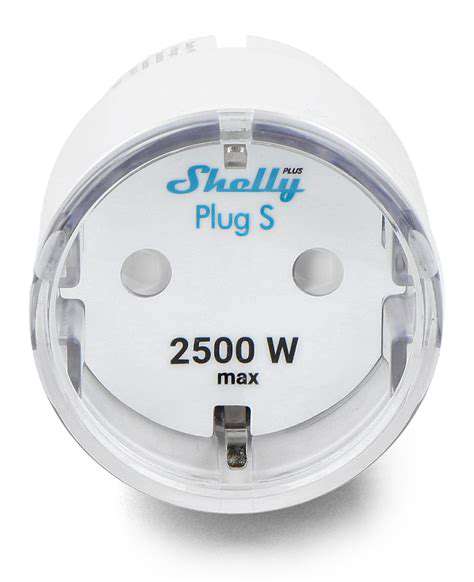
Your Essential Guide to Smart DevicesWelcome to the world of smart home technology, where convenience and efficiency come together to enhance your everyday life. This comprehensive guide explores the leading smart devices that are revolutionizing how we manage our homes: smart speakers, smart lighting, home security cameras, smart thermostats, and smart plugs. Discover how you can benefit from these innovative solutions and transform your living space into a responsive, intelligent ecosystem. 1. Smart Speakers: The Heart of Your Smart HomeSmart speakers serve as the central hub for controlling a variety of smart devices. More than just music players, they effortlessly integrate with smart lights, thermostats, and security cameras, allowing you to manage your home with simple voice commands. Recent advancements in voice recognition technology enable more sophisticated interactions, making tasks easier than ever. However, it's essential to be aware of privacy concerns and understand data practices to maintain control over your information. 2. Smart Lighting: Illuminate with StyleSmart lighting goes beyond aesthetics, offering energy-efficient solutions that significantly reduce power consumption. With the ability to control brightness, color temperature, and schedules through smartphone apps or smart home systems, you can create the perfect ambiance. Additionally, smart lighting improves safety by simulating occupancy when you are away, deterring potential intruders and contributing to overall home security. 3. Home Security Cameras: Peace of MindInstall home security cameras to bolster your home’s safety. These devices monitor your property and deter crime while providing valuable footage for investigations. Whether choosing wired or wireless options, high-definition video, night vision capabilities, and motion detection are crucial features to consider. Additionally, integrating security cameras with smart home systems enhances convenience and control, allowing you to manage your security setup with ease. 4. Smart Thermostats: Energy Savings at Your FingertipsSmart thermostats learn your heating and cooling habits to optimize energy usage, potentially saving homeowners 10% to 30% on utility bills. With remote access via Wi-Fi, you can adjust settings from anywhere, ensuring energy efficiency and comfort. Many models also provide insights into your energy usage patterns, encouraging smarter energy management throughout your home. 5. Smart Plugs: Easy AutomationSmart plugs offer a simple yet powerful way to control your appliances through your smartphone or voice commands. They enhance energy efficiency and help automate daily tasks, like turning off devices when not in use. Popular smart plug models come with features like Wi-Fi connectivity, energy monitoring capabilities, and compatibility with major smart assistants like Amazon Alexa and Google Assistant. Setting up smart plugs is straightforward, making them an excellent addition to your smart home. ConclusionIncorporating smart devices into your home can significantly improve your quality of life, offering convenience, efficiency, and enhanced security. From smart speakers to smart plugs, the possibilities are endless. Stay updated with recent advancements and select solutions that suit your lifestyle. Embrace the future of home automation and make your home smarter today!
Feb 15, 2026
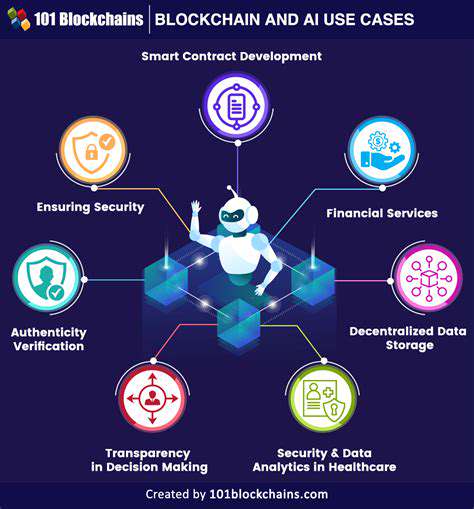
When to Choose Blockchain or Traditional DatabasesBusinesses should evaluate their specific needs when choosing between database technologies. Traditional databases excel in applications requiring fast transaction speeds, such as e-commerce or healthcare data management. Blockchain is better suited for industries demanding transparency and data integrity, such as supply chain management and financial services. Cost ConsiderationsWhile implementing a blockchain solution can entail higher upfront costs, especially for small businesses, the long-term benefits may justify this investment. Traditional databases, on the other hand, often provide a cost-effective solution for small-scale operations. Conclusion: Making an Informed DecisionUltimately, the choice between blockchain and traditional databases should align with organizational goals. If transparency and security are paramount, blockchain is an excellent option. Conversely, if speed and flexibility are key, traditional databases may serve better. Understanding the inherent strengths and limitations of each technology will empower organizations to select the most appropriate database solution, ensuring competitive advantages in an evolving digital marketplace.
Feb 15, 2026

Selecting the Perfect Digital to Analog Converter (DAC) for Superior Audio PerformanceIn today's audio landscape, Digital to Analog Converters (DACs) are essential for transforming digital audio signals into the rich sounds we enjoy. With the rise of high-resolution audio formats and streaming services like Tidal and Qobuz, having a quality DAC can enhance your listening experience by as much as 30%. This article will guide you on what to look for in a DAC, ensuring you can maximize your audio enjoyment. Understanding Digital to Analog ConversionDACs play a crucial role in audio playback, converting digital signals into analog for speakers and headphones. The choice of DAC greatly affects sound clarity and detail, with high-quality models capable of delivering an accurate representation of audio, capturing every nuance. Technical Specifications to ConsiderWhen selecting a DAC, focus on important specifications like bit depth and sample rate. Bit depth relates to the dynamic range and detail, while sample rate impacts frequency response. Higher bit depths and sample rates result in better sound quality, essential for audiophiles seeking to uncover subtleties in their music. Connectivity and CompatibilityThe connectivity options available on a DAC are vital for compatibility with your existing audio equipment. Assess the devices you'll connect, whether through USB, optical, or coaxial inputs, as well as the supported output formats like RCA, XLR, or headphone jacks. Opting for a DAC with multiple connections can future-proof your audio setup. Sound Quality MattersThe quality of sound reproduction should be at the forefront of your DAC consideration. Look for devices that offer transparent audio signals with minimal distortion. Check the Total Harmonic Distortion (THD) rating to understand the fidelity of sound you can expect. User reviews can also provide valuable insights into real-world performance. Price and Performance BalanceDACs come in various price ranges, from budget-friendly to premium models. You don't need to spend a fortune to achieve excellent sound quality, as many mid-range DACs offer great performance. Evaluate whether the features justify the price and consider lesser-known brands that might deliver more value. Future-Proofing Your SetupAs technology in audio continually evolves, choosing a DAC that supports firmware updates and the latest audio formats is wise. A versatile DAC will serve you well as you upgrade your devices and audio formats over time. Enhance Your Audio ExperienceBesides a quality DAC, selecting the right headphones and amplifiers can further unlock your audio potential. Investing in high-quality headphones will significantly improve your listening experience while a robust amplifier enhances sound quality, ensuring your audio system fully realizes its capabilities.In conclusion, understanding the various aspects and specifications of DACs will empower you to make informed decisions, elevating your audio experience to new heights. Whether you're a casual listener or a dedicated audiophile, taking the time to evaluate your options can lead to a more gratifying audio journey.
Feb 15, 2026

An In-Depth Exploration Integration of Health Monitoring Features Emerging Technologies in Health MonitoringThe landscape of health monitoring is rapidly evolving with the advent of wearable technology powered by groundbreaking innovations like biosensors and artificial intelligence (AI). These advancements enable continuous glucose monitors that can predict blood sugar levels, providing critical insights for individuals with diabetes. Additionally, smart textiles woven with conductive fibers facilitate real-time physiological monitoring, seamlessly integrating health tracking into everyday life. Data Security and Privacy ConsiderationsAs these devices become integral to managing personal health data, the need for robust data security frameworks is paramount. Manufacturers must utilize end-to-end encryption and maintain transparency regarding data handling to build consumer trust. With a significant rise in breaches involving personal health information, safeguarding user data is not merely important; it is essential. Enhanced Connectivity and Smart Ecosystems Integration of IoT in Wearable DevicesThe Internet of Things (IoT) enhances the functionality of wearable devices, allowing for real-time health data access and improved user experience. Wearables, such as smartwatches, empower users to monitor their physical activities and health metrics without inconvenience. The Role of Security and Privacy in ConnectivityAs wearables connect to broader networks, privacy concerns become increasingly significant. With many users anxious about data usage, manufacturers are prioritizing security enhancements and education to foster consumer confidence. Focus on Fashion and Personalization Trends in Fashion-Forward WearablesFashion and functionality are converging in the wearable tech realm. Luxury brands are infusing technology into their collections, creating wearable devices that reflect individual style while serving practical purposes. The global wearable market is expected to reach $100 billion by 2025, underscoring the demand for stylish yet functional tech accessories. Customization and Personalization: A Key FocusIn response to consumer desire for personalization, wearable brands offer customization in design and features. This focus ensures that tech devices resonate with user identity and lifestyle. Sustainability and Ethical Innovations Overview of Sustainable Practices in Wearable TechnologySustainability is no longer optional for wearable technology. Companies are increasingly focusing on eco-friendly materials and ethical manufacturing processes to minimize their environmental footprint while meeting consumer expectations. Consumer Education and AwarenessEducating consumers about sustainable practices plays a critical role in the wearable tech market. Transparency in product sourcing and lifecycle can foster an informed customer base, leading to increased demand for eco-friendly products. The Role of Artificial Intelligence in Wearables Integration with Health MonitoringAI-equipped wearables are transforming personal health monitoring, providing valuable insights into users' well-being. Through predictive capabilities, these devices can identify potential health issues before they escalate, encouraging proactive healthcare. Improving Mental Health and Well-beingAI-driven wearables also support mental health by monitoring emotional states and suggesting timely interventions, promoting an overall sense of well-being. ConclusionThe future of wearable technology is promising, with trends towards integration, personalization, sustainability, and AI driving innovation and enhancing user experiences. As we navigated through the complexities of health monitoring, fashion integration, and responsible manufacturing, one thing remains clear: wearables are set to become an even more integral part of our daily lives, shaping how we manage health, express ourselves, and interact with technology.
Feb 14, 2026
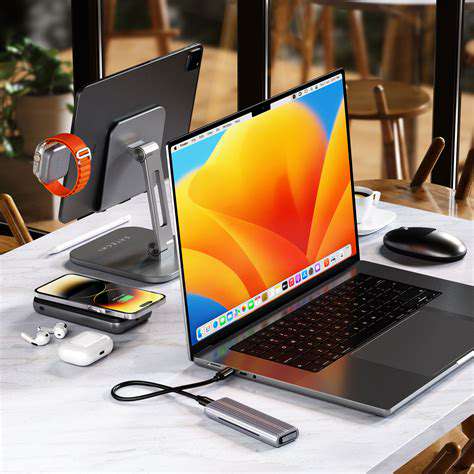
Elevate Your Learning ExperienceAs educational landscapes evolve, technology plays an integral role in enhancing student learning. From versatile tablets and dynamic smart speakers to advanced noise-canceling headphones and efficient e-readers, leveraging tech tools can significantly improve study habits and overall academic performance. 1. Tablets: The Portable PowerhousesVersatility in Functionality Tablets have become popular among students, serving as e-readers, notetaking devices, and multimedia platforms. With 70% of college students relying on tablets, their capabilities in education are undeniable. Equipped with styluses, tablets like the Apple iPad Pro and Microsoft Surface Pro support seamless handwriting input and extensive app accessibility.Portability and Battery Life Lightweight and travel-friendly, tablets make it easy for students to carry their study materials. Many models boast a battery life exceeding 10 hours, allowing for uninterrupted learning sessions anywhere. Their flexible design encourages spontaneous study, adapting well to various environments.Financial Accessibility Tablets cater to diverse budgets, from high-end models to affordable options like the Amazon Fire. Educational institutions often support leasing or discount programs, enhancing access to technology for students. Refurbished devices further contribute to cost-effectiveness. 2. Noise-Canceling Headphones: Focus in a Busy WorldUnderstanding Noise-Canceling Technology Noise-canceling headphones minimize distractions, improving concentration and productivity by up to 70%. With both passive and active noise cancellation, they are essential tools in crowded libraries and during commutes.Choosing the Right Headphones Selecting headphones involves considering sound quality, battery life, and comfort. Renowned brands like Bose and Sony offer premium options, while features such as Bluetooth connectivity enhance user experience.Benefits for Students These headphones create an optimal study environment, allowing students to focus on lectures and course material without external interference. They can incorporate various audiobooks and educational podcasts, catering to different learning preferences. 3. Smart Speakers: Your Personal Classroom AssistantVoice Commands for Hands-Free Learning Smart speakers simplify learning through voice commands, allowing students to retrieve information without distractions. Research shows that auditory learning enhances retention significantly.Scheduling and Organization Integrating smart speakers into daily routines can streamline study sessions and improve time management. Features like calendar integration help students stay organized.Personalized Learning Experiences By tailoring information based on user preferences, smart speakers provide a customized learning environment. They facilitate access to educational resources and support seamless interactions with other smart devices. 4. E-Readers: The Future of ReadingKey Benefits for Students E-readers grant access to vast libraries of books and resources, ideal for research and studying. Features like built-in dictionaries and highlight options enhance the learning process while promoting better retention of information.Cost Efficiency Investing in e-readers can lead to significant savings on academic texts, with many e-books available at lower prices. Discounts from platforms like Kindle and Google Books facilitate affordable learning. 5. Tech Accessories: Elevating the Learning ExperienceEssential Accessories for Remote Learning With the rise of online education, accessories like quality webcams and microphones improve virtual communication, boosting engagement by 30%. Noise-canceling headsets further enhance focus.Productivity Boosters Portable chargers, ergonomic laptop stands, and cloud storage solutions streamline workflow and improve comfort, with studies revealing that students utilizing these tools boost productivity by up to 25%.---Leveraging these essential tech tools can propel your educational journey, making learning more accessible, engaging, and effective. Stay ahead in your studies by integrating these devices into your academic routine!
Feb 14, 2026

Generally last 2 to 3 years due to software limitations and battery health.- Laptops: Range from 3 to 5 years, heavily influenced by brand, usage, and maintenance.- Tablets: Usually last about 3 to 4 years, often prompting earlier upgrades due to technological advancements.- Smartwatches: Have a shorter lifespan of 2 to 3 years, often necessitating battery replacements sooner.- Gaming Consoles: Typically last 5 to 7 years, supported by a community that continues to release games for older models.- Televisions: Can last 7 to 10 years, though technological advancements may entice users to upgrade sooner.- Home Assistants: Average around 3 to 5 years, as newer models frequently emerge with enhanced functionalities. Tips for Extending LifespanTo prolong the life of tech products, consumers are encouraged to perform regular maintenance, invest in quality accessories for protection, and practice good charging habits. Additionally, being mindful of environmental influences and responsible product recycling can help reduce electronic waste and extend the usability of devices. ConclusionUnderstanding the factors affecting the lifespan of tech products can empower consumers to make informed decisions. By prioritizing quality, maintenance, and responsible purchasing practices, users can enhance the longevity of their devices, contributing to a more sustainable tech ecosystem.
Feb 14, 2026

A Comprehensive GuideIn today’s tech-driven world, selecting the right laptop for software development is crucial for achieving optimal productivity. This guide covers the essential factors you should consider when choosing the perfect machine for programming tasks. 1. Understand Your Development Needs Identify Your Programming Languages and FrameworksDifferent programming languages and frameworks have unique requirements. Whether you're working with JavaScript, C++, or frameworks like React and Django, knowing your development tools is vital. For instance, robust laptops are necessary for C++ coding due to higher processing demands, whereas lightweight options might suffice for JavaScript. Consider Your Development EnvironmentYour choice of development environment, such as IDEs like Visual Studio or IntelliJ IDEA, significantly influences your laptop's specifications. Opt for a laptop with at least 16GB of RAM and a multi-core processor if you're working on complex applications. Assess Portability vs. PowerFor developers constantly on the move, consider lightweight laptops that offer a balance between portability and performance. Ultra-portable models can enable efficient coding outdoors while not compromising on processing power. Durability and Build Quality MatterInvest in laptops with robust build quality that can withstand daily wear and tear. A well-constructed laptop enhances your programming experience and can be a long-term investment. 2. Processor and Performance Understanding Processor TypesIntel and AMD dominate the market, with Intel’s Core i5 and i7 processors widely recognized for multitasking efficiency. AMD's Ryzen offers cost-effective alternatives without compromising on performance. Performance Metrics to ConsiderLook for benchmarks like PassMark scores to gauge processor performance. Balancing core count with clock speed is essential for effective coding and application handling. The Role of RAM in ProgrammingRAM plays a pivotal role in maintaining system performance. For intensive tasks, a minimum of 16GB RAM is recommended, enabling seamless multitasking and efficient handling of large datasets. 3. Storage Options: SSD vs. HDD Understanding SSDs: Speed and PerformanceSolid State Drives (SSDs) provide fast data access, drastically improving loading times in development environments. Their durability makes them a preferred choice for programmers dealing with sensitive data. Exploring HDDs: Capacity and CostWhile Hard Disk Drives (HDDs) offer more storage at a lower price, their slower speeds may not be ideal for intensive programming tasks. Assess your storage requirements to choose the best option. Hybrid Drives: The Best of Both Worlds?Hybrid drives combine SSD speed with HDD capacity, making them a versatile choice if you need both. This solution can provide a balanced experience for various programming tasks. 4. Battery Life and Portability Understanding Battery Life RequirementsLaptop battery life is essential for developers who work remotely. Opt for a model with a minimum of 8 hours of battery life to ensure continuous productivity without being tethered to power outlets. Evaluating Portability FeaturesA lightweight laptop (ideally under 4 pounds) enables ease of transport. Consider slim profiles and energy-efficient processors to enhance both portability and battery life during your programming work.---By taking the time to evaluate these features, you can ensure that your laptop choice aligns well with your development needs, enhancing both productivity and efficiency in your programming journey.
Feb 14, 2026

Making Informed ChoicesUnderstanding Bluetooth codecs is instrumental for anyone keen on optimizing audio quality. With numerous codec options available, informed selection based on personal preference and device capabilities can greatly enhance your listening experience. Whether you prioritize sound clarity, low latency, or both, there's a codec designed to meet your needs.In summary, as the technology behind Bluetooth evolves, staying updated on the latest codec advancements will ensure you enjoy the best possible audio experiences. Make the right choice for your next audio setup, and immerse yourself in high-quality sound!
Feb 14, 2026

Essential Tools for Enhancing Online Learning Why Sound Quality MattersIn the world of online learning, sound quality plays a crucial role in understanding and retention of information. Research reveals that learners can retain only about 20% of what's taught when audio quality is compromised. High-quality headphones ensure clear sound, which is vital for capturing nuances in lectures and actively engaging with the material. The Importance of Noise IsolationNoise isolation is another key factor that enhances focus during online classes. Headphones with noise-canceling features can effectively block distractions from the surrounding environment, leading to improved concentration and productivity. A study indicated that students using noise-canceling headphones saw a 30% increase in productivity compared to those with standard audio devices. Compatibility with Learning PlatformsChoosing the right headphones also involves ensuring compatibility with popular online learning platforms like Zoom, Google Classroom, and Microsoft Teams. Headphones that synchronize audio well minimize disruptions and technical issues, making remote learning a smoother experience. Comfort for Extended UseComfort is paramount when selecting headphones, especially for students who may spend hours in online classes. Opt for over-ear headphones with cushioned ear pads and flexible designs to prevent discomfort and fatigue. Ergonomics should lead your choice: a comfortable fit directly influences the ability to focus on learning. Durability for Long-Term InvestmentInvesting in high-quality headphones isn't just about immediate benefits, but also about durability and longevity. Well-constructed headphones can last multiple years with proper care, providing significant savings over time. Brands that offer warranties can further validate the quality and durability, making them a sensible investment for students. Recommended Brands and ModelsWhen it comes to the best headphones for online learning, popular brands like Bose, Sony, and Sennheiser consistently rank high for sound quality and comfort. For budget-conscious students, options such as the Anker Soundcore Life Q30 offer fantastic sound and battery life without breaking the bank. Consider personal preferences regarding design—over-ear or on-ear—to ensure the best fit for your needs. Key Features to Look For1. Sound Quality: Headphones should deliver clear and balanced sound, making it easier to grasp spoken content.2. Comfort and Fit: Look for adjustable features and cushioned pads to reduce strain during long studying sessions.3. Microphone Quality: A high-quality microphone with noise reduction is essential for clear communication.4. Battery Life: If opting for wireless headphones, ensure at least 15 to 20 hours of battery life.5. Durability: Choose robust models that withstand daily wear and tear. ConclusionSelecting the right headphones can significantly enhance the online learning experience. Focus on sound quality, comfort, and compatibility with learning platforms while also considering your budget and durability needs. The right pair of headphones can be a valuable investment in achieving academic success, making learning more engaging and effective.
Feb 14, 2026

The driver technology is pivotal in determining sound output. Generally, larger drivers can produce deeper bass while maintaining clarity. Dynamic drivers are prevalent in budget models, delivering satisfactory performance for daily listening. Nonetheless, models with planar magnetic drivers, typically found in premium headphones, tend to provide a richer listening experience.2. Listening Environment: Your surroundings can significantly affect how your headphones perform. In noisy settings, even the best budget headphones may falter. For a more immersive experience, choose headphones that suit your listening environment—closed-back designs are great for noisy spaces, while open-back models excel in quieter settings.3. Wireless Technology: Many budget headphones now feature advanced Bluetooth technology comparable to their wired counterparts. When considering wireless models, latency, battery life, and additional features like built-in microphones and touch controls should all be evaluated. Top Picks for Budget HeadphonesWhen searching for budget headphones that deliver exceptional sound, focus on key features such as sound balance, comfort, battery life, and noise isolation. Brands like Anker, Sony, and JBL have models around the $50 mark that boast premium features. Anker's Soundcore Life Q20 offers remarkable noise cancellation, while JBL's Tune 500BT is perfect for bass enthusiasts. Comfort and Build QualityWhile sound quality is crucial, comfort should also be a top priority, especially for extended use. Look for models with good cushioning and adjustable fit, as well as durable materials that withstand wear and tear. Pay attention to features such as battery life for wireless headphones, aiming for at least 15-20 hours of playback. User Reviews and RecommendationsBefore making a purchase, consult user reviews and expert recommendations to find models praised for their sound quality and durability. This research can guide you in selecting budget headphones that balance performance, comfort, and affordability.In summary, investing in quality budget headphones can vastly improve your audio experience. By understanding the key features and options available, you can find headphones that provide premium sound without the premium price tag.
Feb 14, 2026
Hot Recommendations
- Collaboration Tools Compared
- Online Privacy Myths Explained
- Blockchain Security: Myths and Facts
- How HDR Improves Display Quality
- Real World Applications of Blockchain Technology
- Cloud Platforms Compared for Developers
- Best Budget Gaming Setups
- How to Compare Tech Products Effectively
- Best Tech Gifts for 2025
- Monitor Buying Guide for Beginners